
New in Firmware 8.6 (July 2026)
- New WAN status summary logs and failover event logs give you the story behind a flapping tunnel.
- Fixed: profiles stuck “Updating Routes…”, DNS-over-SpeedFusion not recovering after WAN restore, and Domain Lookup Policy misses.
When a bonded link feels slow or unstable, work it in order — isolate which path is bad, then apply the matching fix. Here’s the decision tree we use.
1 — Is one WAN the problem?
Open Status → SpeedFusion VPN status and the per-WAN chart. Run the built-in bonding test at a target rate and watch each WAN’s contribution, latency, loss, and out-of-order packets.
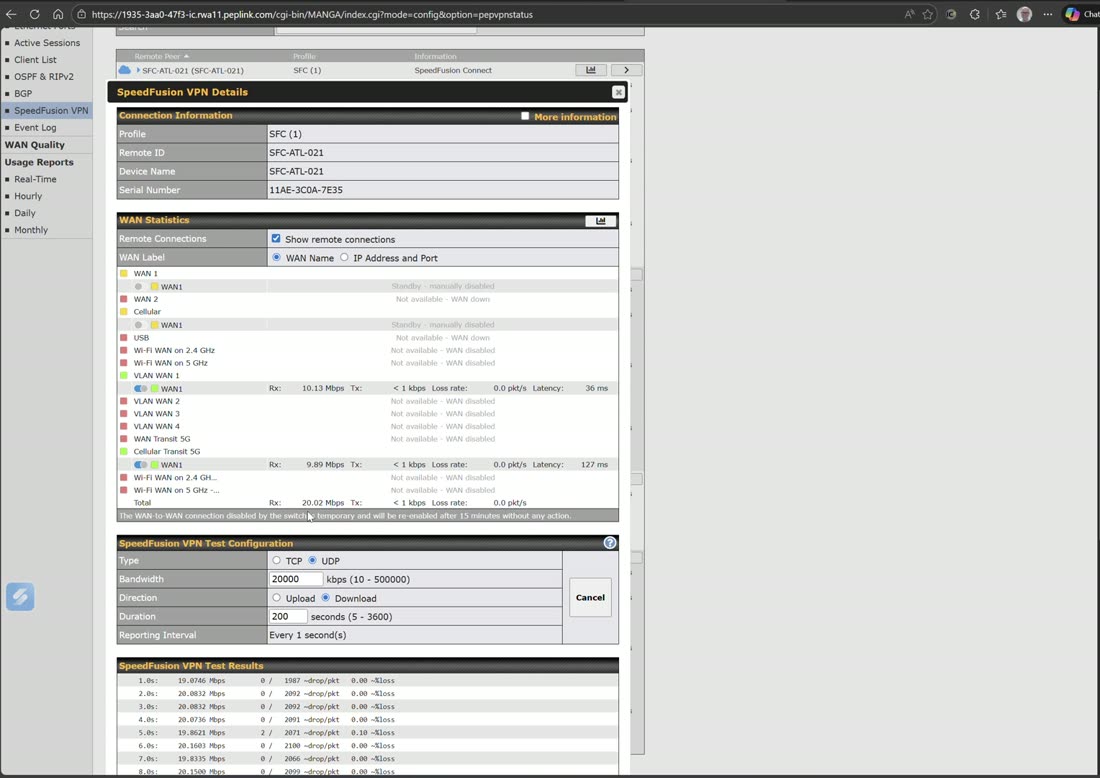
- One WAN shows high latency or loss → check WAN Quality for that link; if it’s a bad circuit, set a latency-difference cap so the bond stops using it when it spikes, and open a ticket with that carrier.
- A WAN keeps flapping up/down → its health check is failing; switch the health-check method (Ping→DNS→HTTP), and on broadband use HTTP so a captive portal is detected.
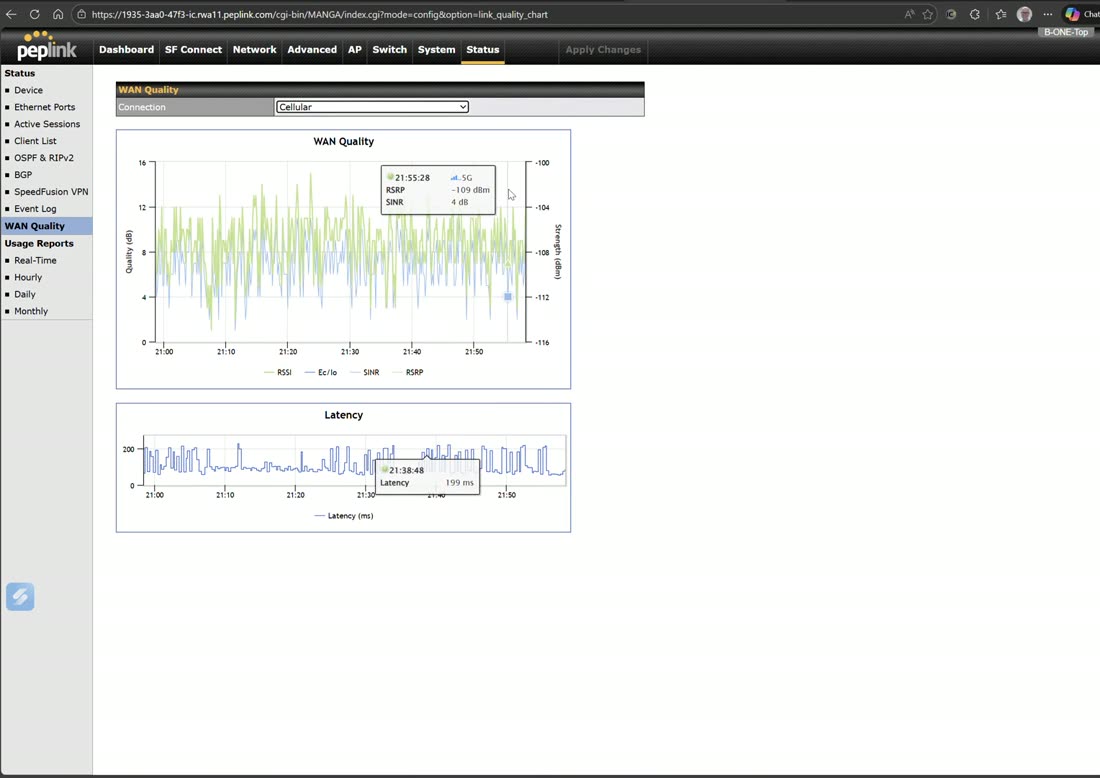
2 — Is it loss, or is it capacity?
- Real-time traffic breaks up but throughput is fine → it’s loss/jitter. Raise the WAN-smoothing level or add FEC on that sub-tunnel.
- Throughput is lower than the sum of the WANs → you may be smoothing too aggressively (duplication costs bandwidth) or one WAN is saturated. Scope smoothing to just the traffic that needs it, and confirm no single carrier is capped.
3 — Prove the fix
Re-run the bonding test and use WAN Analysis (one router as server, another as client) to certify the recovered pipe. Compare against a healthy baseline.
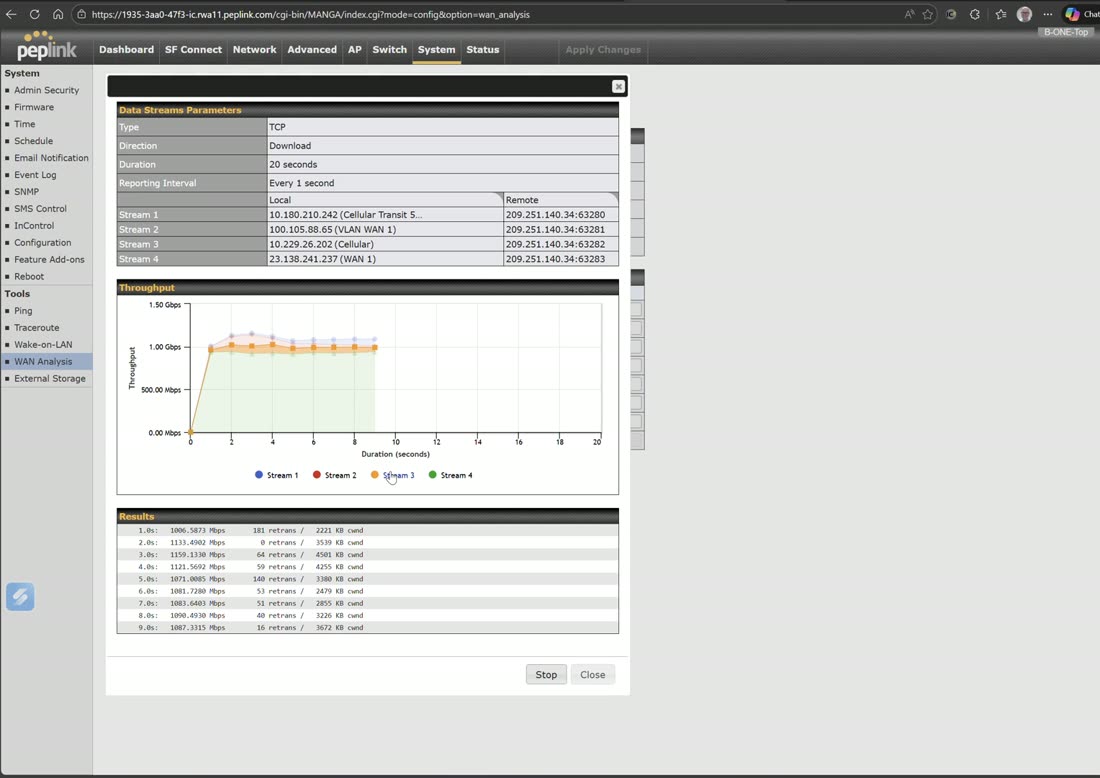
Tip
Capture a bonding-test + WAN-analysis result when the site is healthy and save it. A before/after turns “the internet feels slow” into a measurable, fixable difference.