
Orbit WAN is Peplink’s satellite control panel — the firmware 8.6 evolution of what started as Starlink Mode. It treats a satellite terminal as a first-class, natively-managed WAN: the router speaks the dish’s own API, surfaces its health, and folds it into bonding like any other connection. As of 8.6 that means Starlink and OneWeb, with the panel built to take on more constellations as they arrive.
From Starlink Mode to Orbit WAN
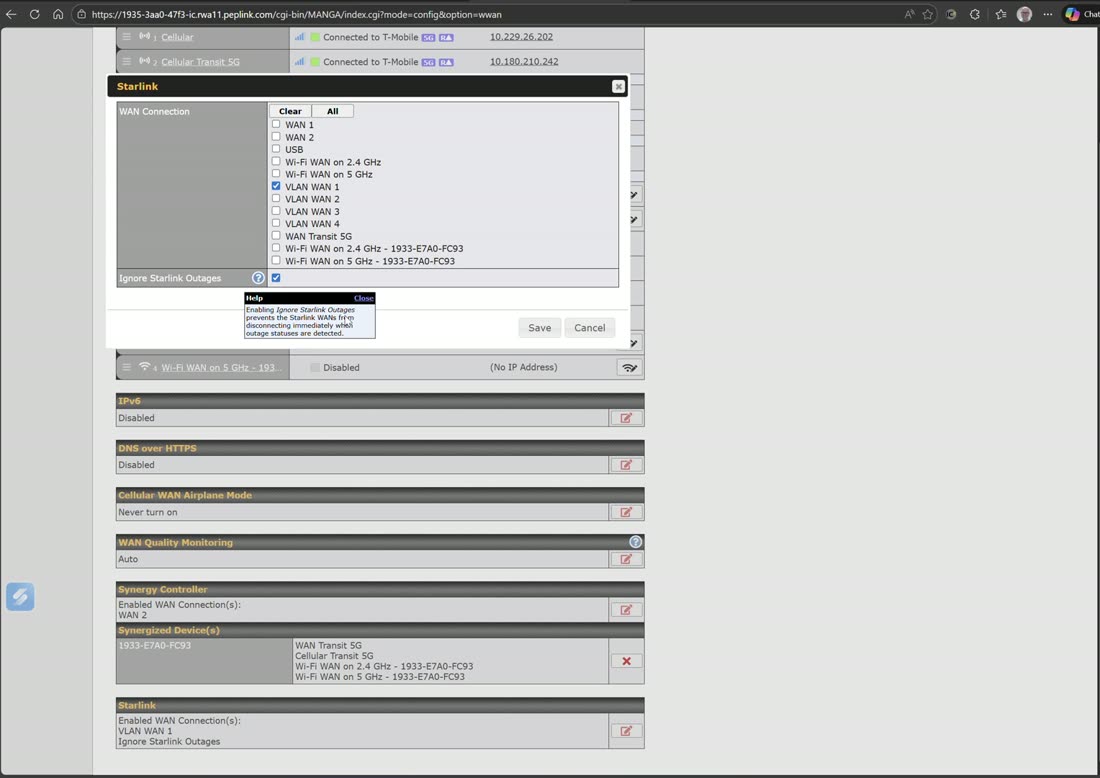
Starlink Mode arrived first: plug a dish into a WAN port, flip the mode on, and the Peplink manages it natively — dish status, obstruction and health data in the dashboard and InControl 2, plus an “ignore Starlink outages” option so brief satellite handoff blips don’t trigger failover churn. Firmware 8.6 generalized the panel into Orbit WAN and added OneWeb as a natively integrated second constellation — which matters to enterprise and government buyers who won’t hang operations on a single provider.
What native management gets you
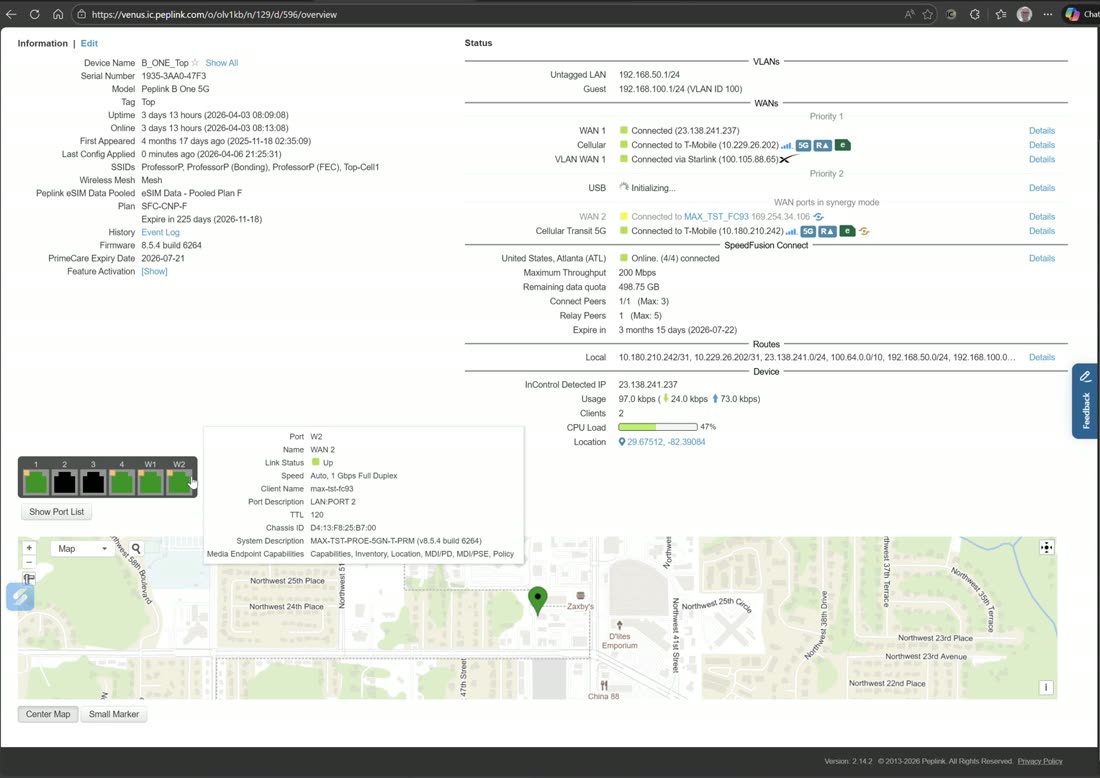
- Dish telemetry where you already look — Starlink status appears right in WAN Details and InControl 2; no separate app to check when the link degrades.
- Saner health checking — 8.6 tuned satellite health checks (sensible 8.8.8.8/1.1.1.1 behavior when DNS-based checking is selected) so transient dish events don’t read as WAN death.
- Bonding that understands satellite — pair the dish with cellular in a SpeedFusion tunnel and let WAN Smoothing and Boost absorb the latency spikes and handoffs. This combination is the backbone of our maritime and disaster-response builds — we have measured close to 1.5 Gbps across bonded Starlink terminals with Boost enabled.
Setting it up
- Connect the terminal’s Ethernet to a WAN port (Starlink installs want the official Ethernet adapter; OneWeb terminals hand off Ethernet natively).
- In Network › WAN, open that WAN’s details and enable the satellite mode for your constellation (the Orbit WAN panel on 8.6).
- Set WAN priority, and decide how it plays with your other links: priority failover, or bonded with cellular in a SpeedFusion profile.
- In InControl 2, confirm the dish telemetry is reporting — that visibility is half the reason to use the native mode.
Field note
Satellite WANs fail differently than wired ones: brief, frequent, and usually self-healing. Left on default health checks, a dish can flap your failover all day. Use the native mode’s outage tolerance, and if the site is critical, don’t fail over at all — bond the dish with cellular and let SpeedFusion smooth right through the handoffs. No failover is the whole point.
Hardware built for it
Any Peplink with a spare WAN port can take a dish, but the MAX Orbit series (Orbit 2 / 4 / 8) was designed for multi-orbit work outright — rugged routers that bond Starlink, OneWeb, and cellular with SpeedFusion and integrated GPS. Talk to us about the Orbit line if satellite is your primary, not your backup.
Watch it done
Related reading
- What’s New in Firmware 8.6 — the Orbit WAN / OneWeb release notes in plain English.
- WAN Settings — priorities, health checks, and where satellite modes live in the UI.
- Recipes — including bonded Starlink + cellular builds.
- All WAN options & technologies