
The network settings under a group are where zero-touch addressing and routing live.
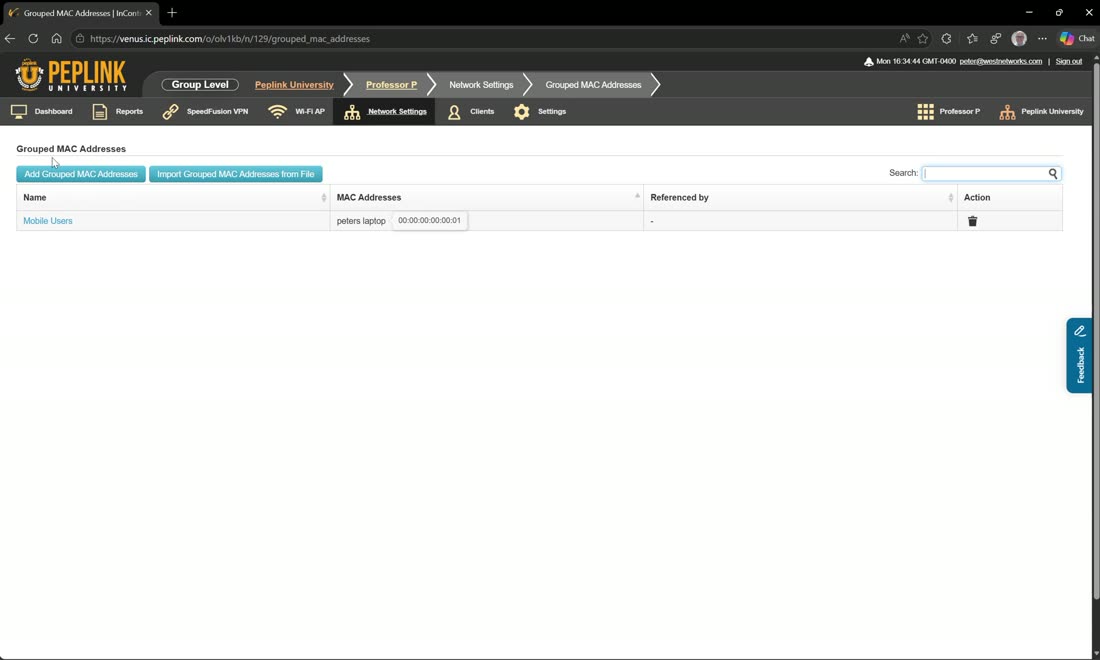
Grouped networks are reusable objects — groups of IP addresses or networks, which can also include URLs and domains — and group MAC addresses are groups of MAC addresses (for example “Peter’s laptop”). Both are then referenced from firewall and outbound rules. You will also see organization-level grouped networks shared down (such as a company services list or a blacklist created at the org level) alongside any groups you add here.
VLANs — the right way
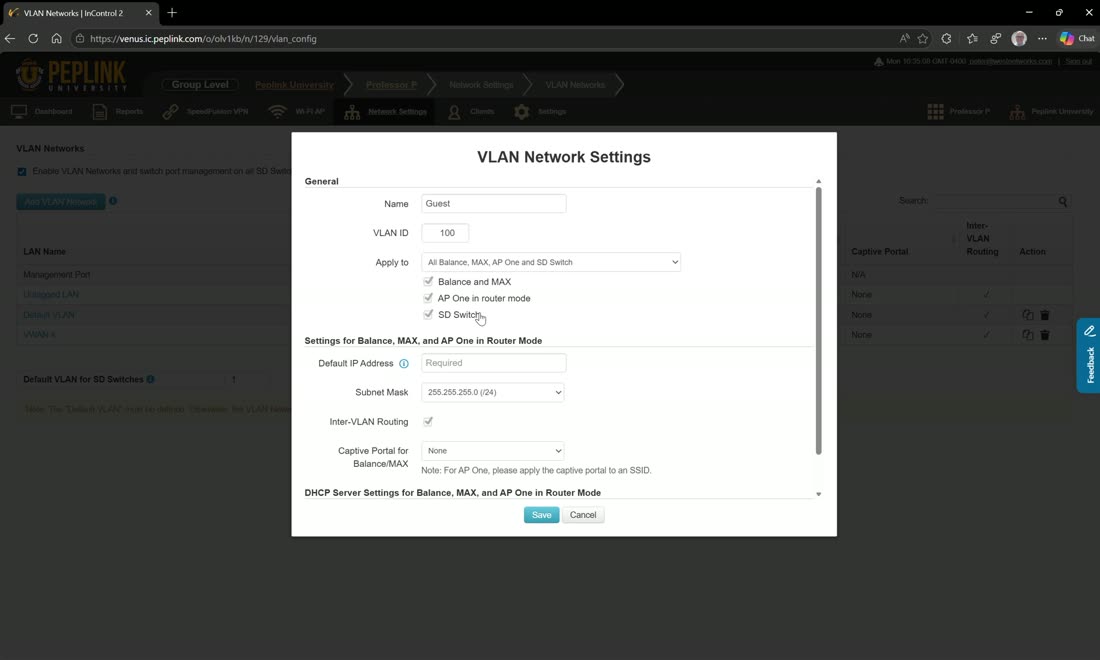
Create a VLAN once, give it a name and number, and choose whether it applies to some, all, or none of your routers, switches, and APs by tag. A common trick is to define a WAN VLAN (say WAN1 3501), apply it to a switch, then set a few switch ports to that access VLAN — a quick way to split out a WAN port without touching the router.
Don’t use VLAN networks as an IP manager
VLAN networks apply by tag and name, and you can duplicate them, which causes instability. Do not create a separate VLAN 10 for site 1, another for site 2, and so on — a fleet full of “VLAN 10s” becomes very hard to manage. Define VLAN 10 once, then use device IP settings (see Zero-Touch) to give each of your sites a unique subnet on that one VLAN.
LAN, routing & advertisement
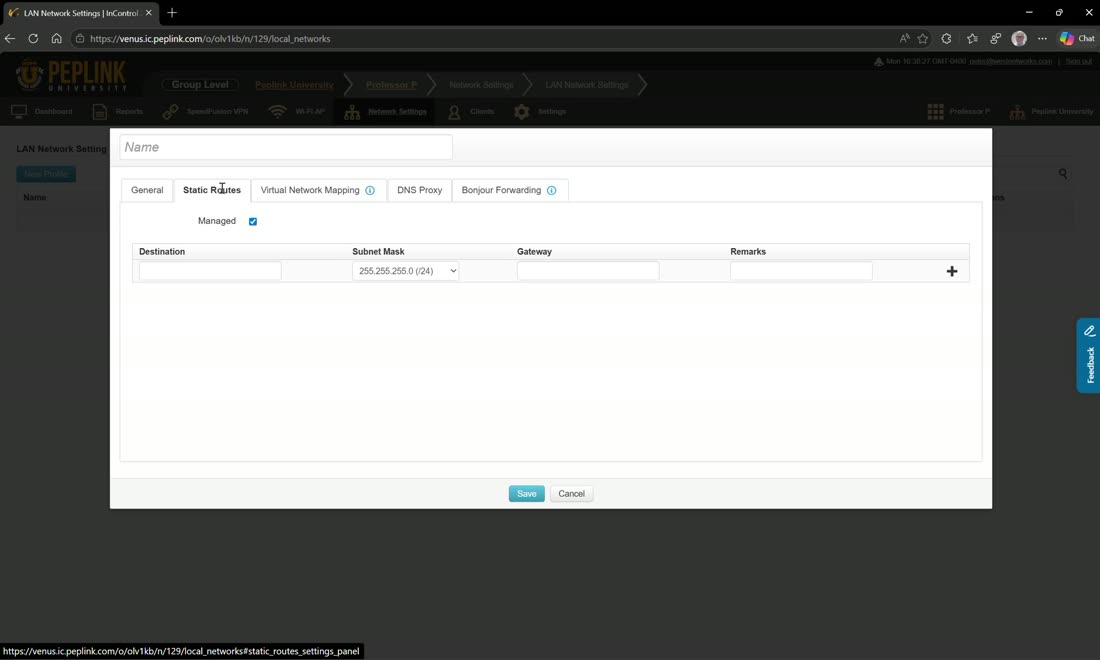
LAN network profiles hold static routes, virtual network mapping, and DNS proxy, assigned by tag — usually per site (top/bottom). The whole premise is zero-touch: instead of hunting for remote web-admin access on each router, you make the change here. Factory-reset a device and it comes right back with its settings; replace a device and you just move the tag to the new one — it boots and self-configures.
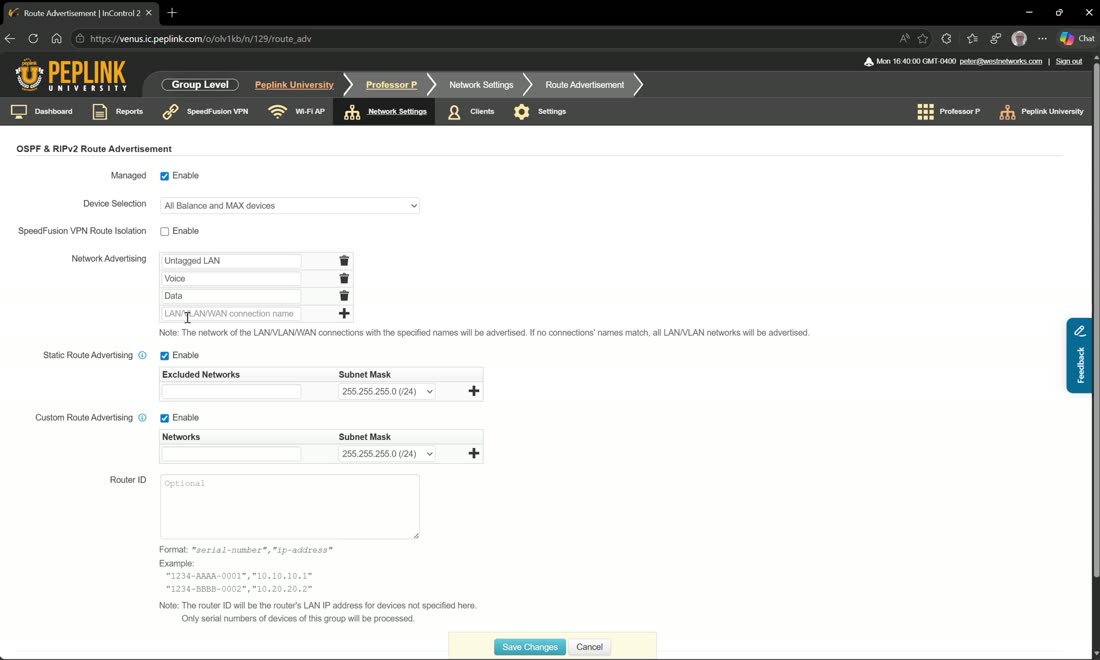
Route advertisement advertises VLANs by name: because you named each VLAN when you created it, only VLANs whose names match are advertised. So you can advertise data and voice throughout the infrastructure while keeping a guest or WAN VLAN off the wire. You can also advertise the untagged LAN.
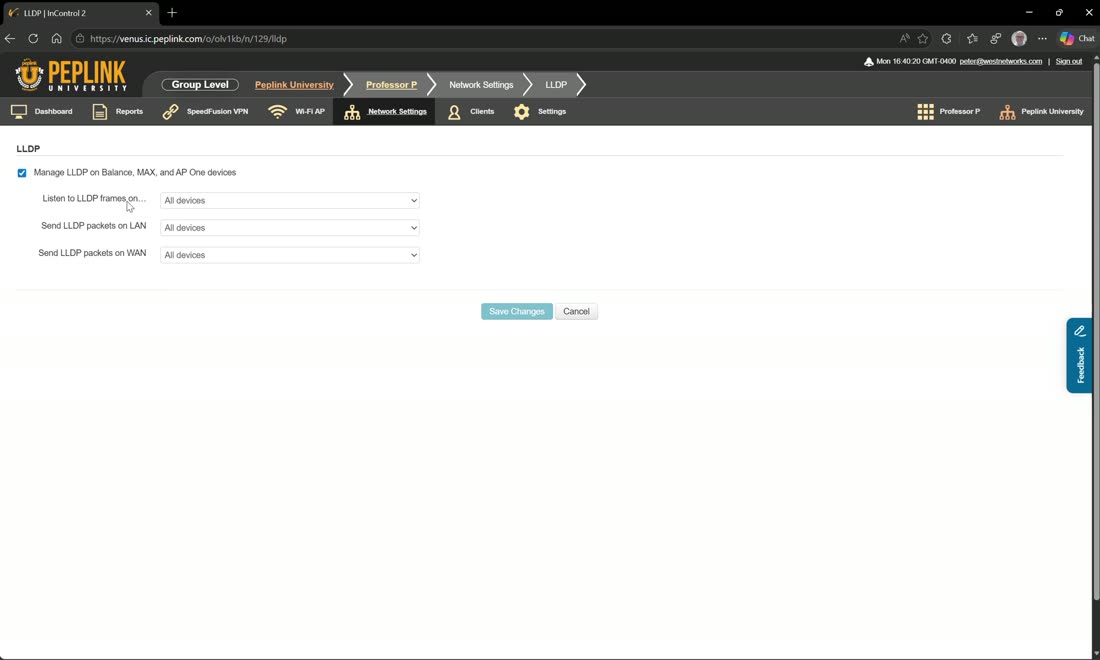
LLDP is new in 2.14.2. Turn it on and choose to listen for LLDP frames and send packets on the LAN and/or WAN, across no devices or all devices. It reports the exact port each device is on — the source of the port data in the clients view, so you can see, for example, that a switch is on the B1’s LAN 1 and a Transit Pro E is on LAN 2.