
The InControl firewall is a robust platform with a lot of options, and because it is applied at InControl it pushes to every matching device in seconds.
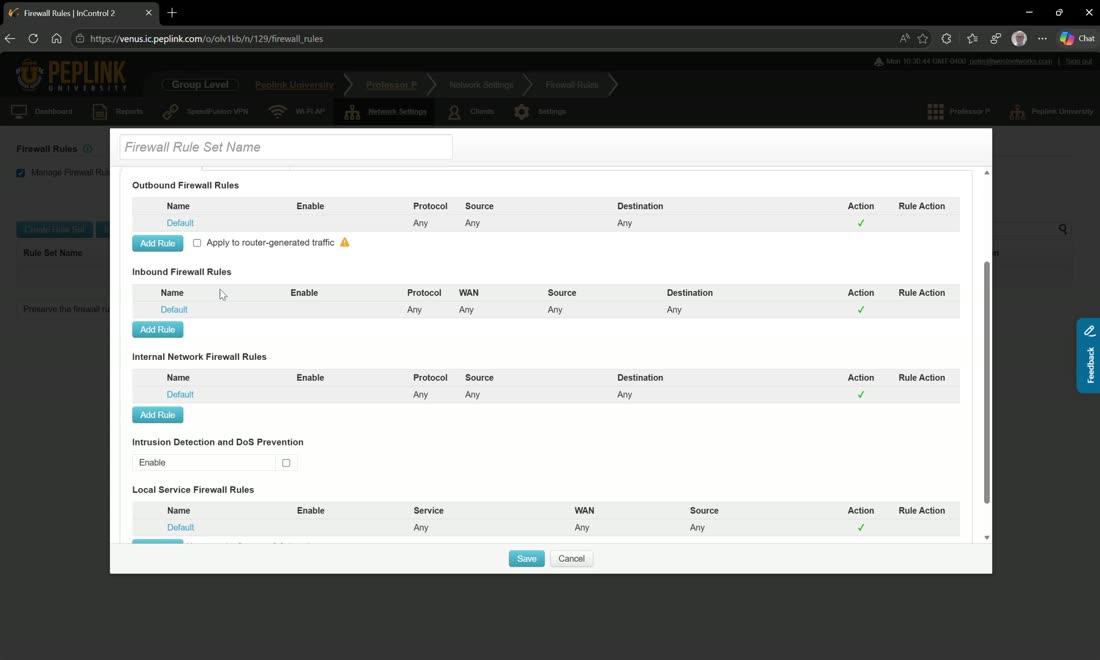
Hit Manage firewall rules, then Create rule set, and choose all, some, or none of the devices by tag. The rule groups mirror the router:
- Outbound — anything originating from a LAN, VPN, or SpeedFusion and going out a WAN.
- Inbound — anything coming in from a WAN.
- Internal — traffic between your LANs, VLANs, and SpeedFusion peers, plus IDS and DoS prevention.
- Local-service — rules for the router’s own services: SpeedFusion handshake, SpeedFusion data, web-admin access, DNS server, and SNMP server. For example, only allow web-admin access from one specific IP, or only allow the VPN handshake to originate in the United States.
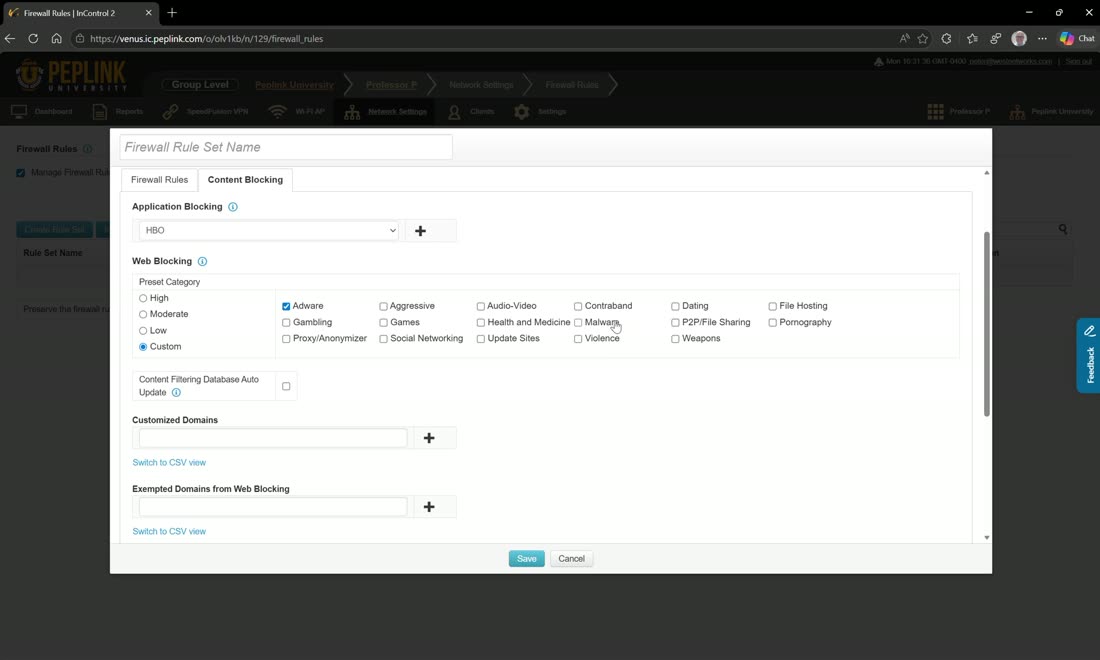
Beyond content blocking there is application blocking — block an app such as HBO, or categories like adware and malware. You can add custom domains to block, update the content lists automatically, exempt individual domains, exempt whole groups, exempt subnets, and enable URL logging so you can see exactly what is being blocked.
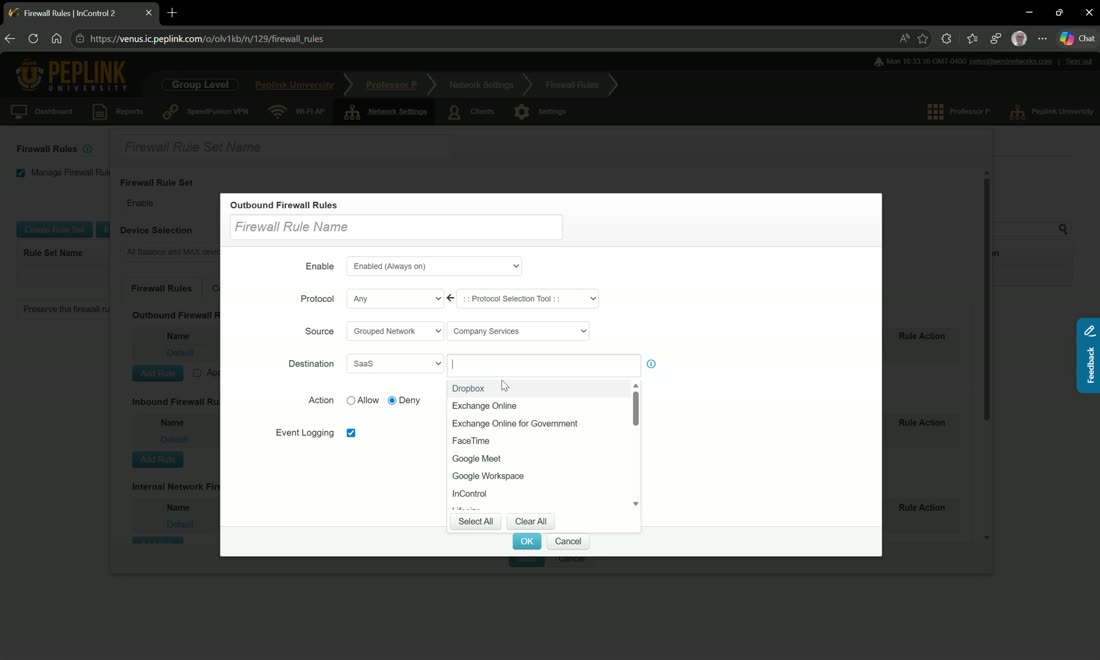
Inbound and outbound rules take a source and destination that can be an IP address, IP network, MAC address, grouped network, SaaS, or region. Using the grouped networks you defined — for example a company services list and a blacklist — you might deny traffic from company services to the blacklist on the outbound rule, then create the mirror inbound rule (from blacklist to company services) so both directions are covered, with logging enabled. You can also match a SaaS destination such as WebEx, or a whole region — block Russia, for instance.
Instant, fleet-wide enforcement
Because the rule is applied at InControl, updating a blacklist blocks the destination across hundreds or thousands of routers in seconds — whether you do it manually (“block this domain”) or autonomously via the API. Rules on firewalls, like outbound policies, are evaluated top-down.