
- RADIUS over TLS (RadSec) encrypts Wi-Fi RADIUS authentication end-to-end.
- The client list shows PPSK names — see which passphrase each client used.
- WPA2/WPA3 Personal is the new default SSID security; per-radio data-rate control, metered-connection beacons, and tri-band AP support arrive; weak-signal 0 Mbps client hangs fixed.
Peplink can manage its own Wi-Fi and switches locally, or hand that to InControl (most fleets prefer InControl for central control).
Wi-Fi WAN — connecting to an SSID
Wi-Fi WAN is one of the router’s interface types (alongside Ethernet WAN, cellular, and VLAN-as-WAN). When you turn on a Wi-Fi WAN it begins enabling, and you can click the little magnifying-glass to scan for nearby networks. Once the list appears you simply click Connect on the Wi-Fi you want to join and enter the password — pretty easy.
- To change a saved network later, click into the Wi-Fi WAN, scroll down, and edit your profiles at the bottom.
- Outside of the connect-to-SSID step, a Wi-Fi WAN is configured almost exactly like an Ethernet WAN — the same health-check, standby, and bandwidth settings apply.
Field note
A single public router can run more than one Wi-Fi WAN at once. In the walkthrough Peter has two Wi-Fi WANs built into a B1 5G, on top of Ethernet and cellular WANs. Combined with the built-in VLAN-as-WAN license (one included) that gives up to three WANs; buy the three-pack of VLAN-as-WAN licenses for more.
Wi-Fi LAN (SSIDs the router broadcasts)
Separate from Wi-Fi WAN, the router broadcasts its own Wi-Fi LAN SSIDs. These are configured under the LAN interface’s Wi-Fi settings, and SpeedFusion Connect can spin up extra SSIDs off a base network — for example a bonding SSID and an FEC SSID derived from your main Wi-Fi (see Outbound Policy and SpeedFusion).
AP & Switch controllers
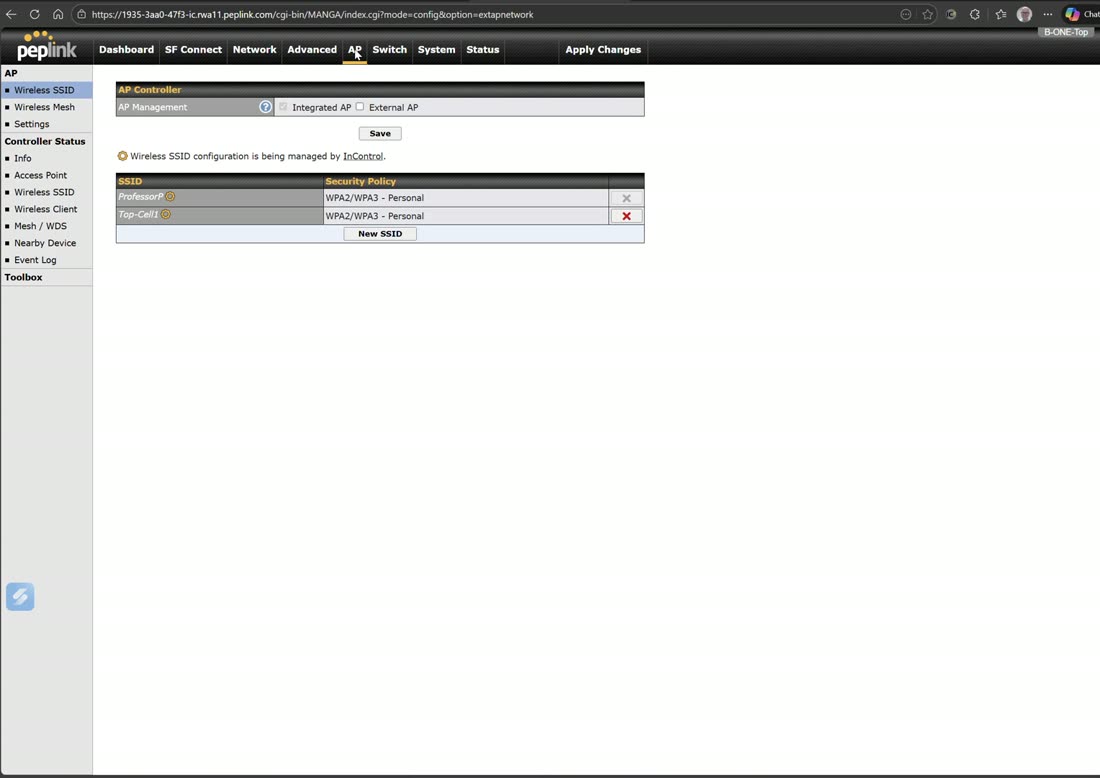
You can drive access points and switches either from the built-in controller or from InControl — Peter’s own preference is InControl, but the on-box controllers are there if you want to stay off-cloud.
- Enable the AP Controller to adopt Pepwave access points connected to the router. Set it to accept external APs and hit save; any AP connected to the router is then ingested here, and you can push SSIDs to them.
- Enable the Switch Controller to manage connected Peplink switches. After you save and apply, connected switches appear under registered and available switches. What’s handy about the local switch controller: any VLAN you add to the network is automatically added to your switches.
Pick one, not both
You cannot combine the local switch/AP controller with the InControl controller for the same devices — choose one or the other.
RADIUS & 802.1X
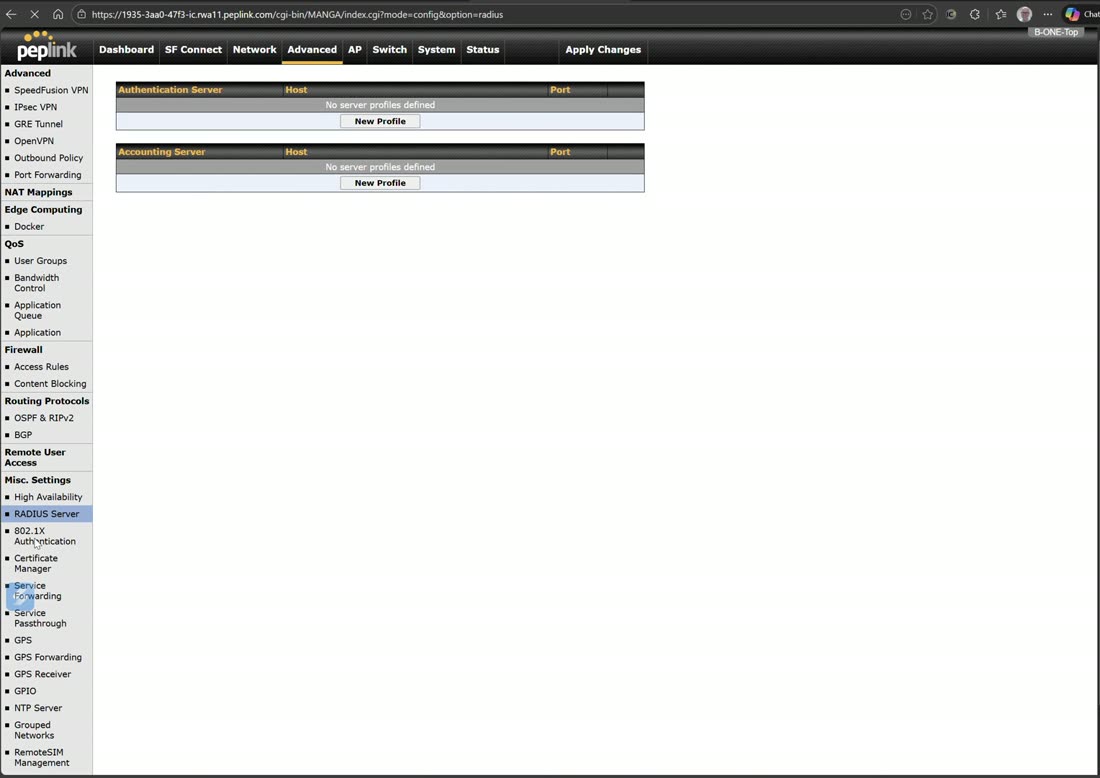
The router includes a RADIUS server used for 802.1X — for provisioning your RADIUS servers and running 802.1X on your LAN ports (the enterprise authentication backbone where every device proves its identity). RADIUS is also one of the authentication options for a guest captive portal, alongside LDAP and an external server.
SSID settings & client isolation on the router
Every SSID the router (or an AP it has adopted) broadcasts uses the same settings form as InControl: AP › Wireless SSID › click the SSID. The two settings people hunt for are under Security Settings — Layer 2 Isolation (clients on the SSID cannot see each other; the guest-network essential) and Fast Transition (802.11r roaming) — with Guest Protect (block all private IPs, block SpeedFusion VPN) further down the form.
Video: AP Pro AC setup
From Peplink University with Professor P.
Webinar: expand your Wi-Fi with Wi-Fi Mesh
From Peplink University with Professor P.
Watch: related training videos
- Peplink B One Unboxing: High-Speed WiFi 6 Router with Dual WANs! (West Networks, 9 min)
- Peplink WIFI 6 AP One AX increased my WIFI speed by 470Mbps (West Networks, 6 min)
- Support | How to Set up a WDS and Mesh Network (Peplink University, 6 min)
- Installing WiFi in my Jeep Gladiator (West Networks, 7 min)
- Peplink Portfolio | AP One AX Lite (Peplink University, 1 min)
- Unboxing the Peplink UBR Go Dual Cellular WiFi Mobile Hotspot (West Networks, 3 min)
- Tutorial – Peplink AP Pro AC Setup! (West Networks, 12 min)
- Browse the full Video Library →