
New in Firmware 8.6 (July 2026)
- Per-WAN bandwidth limits are now enforced on real traffic — set honest ceilings per interface so voice never fights a saturated WAN.
- 802.1p CoS marking works on VLAN-tagged and virtual VLAN WANs.
Real-time audio and video are unforgiving of jitter and loss. Two moves fix it: prioritize the traffic with an application queue, and put it on a SpeedFusion path that hides packet loss.
Steps
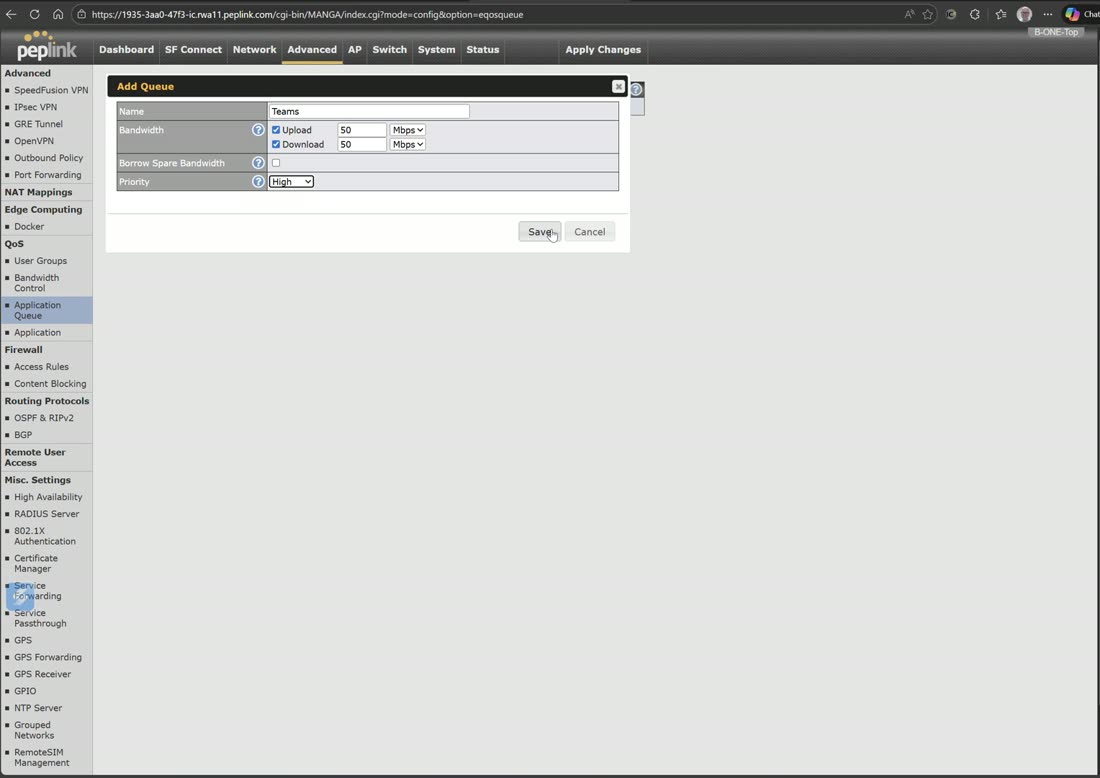
- Create an application queue. In Application Queue, add a high-priority queue (e.g. 50 Mbps up/down) for real-time media.
- Attach it to the apps. Under Applications, assign the queue to your call apps (Teams, Zoom, FaceTime, your VoIP provider) so they get that priority.
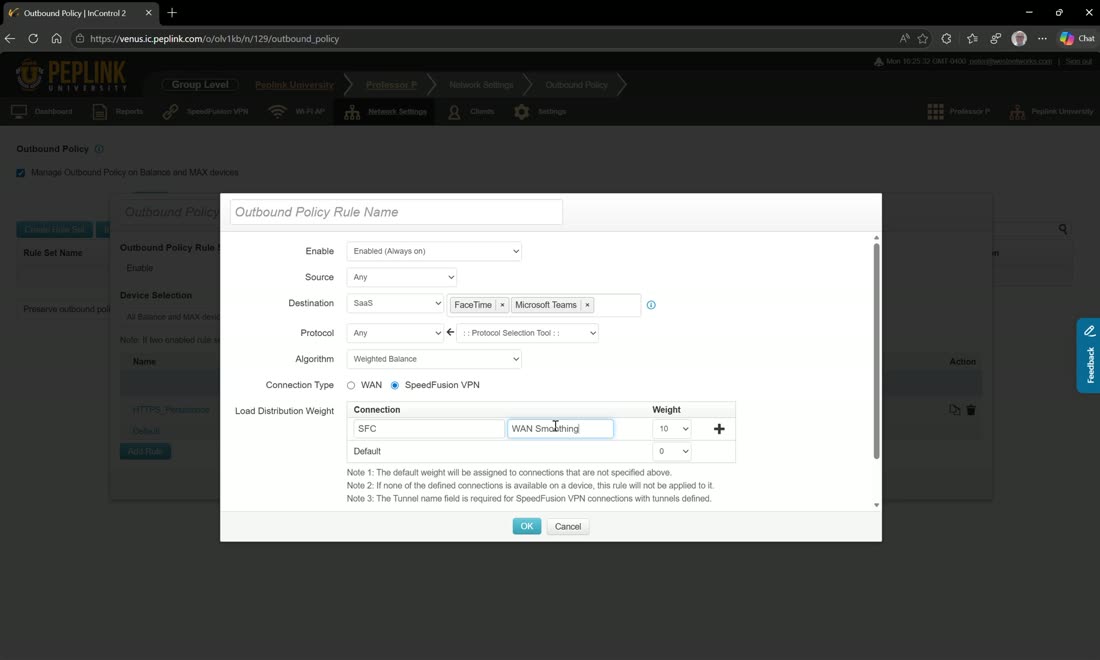
- Ride a smoothed tunnel. In SpeedFusion, use a WAN-smoothing sub-tunnel and, with SaaS-aware outbound policy, send those same apps over it — duplicated packets mean a dropped packet on one carrier never reaches the call.
Tip
Smoothing uses more bandwidth (it duplicates packets), so scope it to the call traffic via the SaaS rule rather than the whole link.
Watch: related training videos
- Support | How to Use Quality of Service Rules (Peplink University, 2 min)
- Browse the full Video Library →