
Registers must never stall because a customer is streaming on the guest network. The pattern is three layers: separate the traffic, guarantee POS its bandwidth, and steer POS to the most reliable path.
Steps
- Put POS and guest on separate VLANs. In Network → VLAN, create a POS VLAN and a Guest VLAN so their traffic is isolated and can be shaped independently.
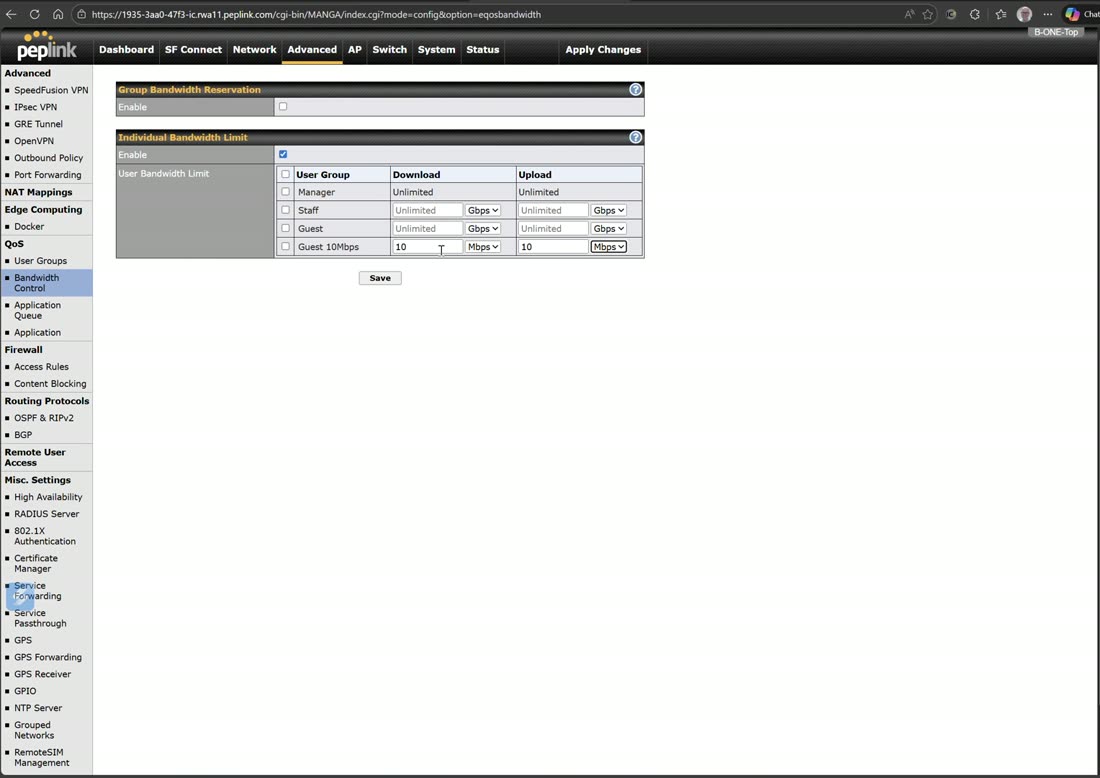
- Cap guest and reserve for POS. Under User Groups & Bandwidth Control, put guest devices in a limited group and give the POS group a bandwidth reservation so it always has headroom.
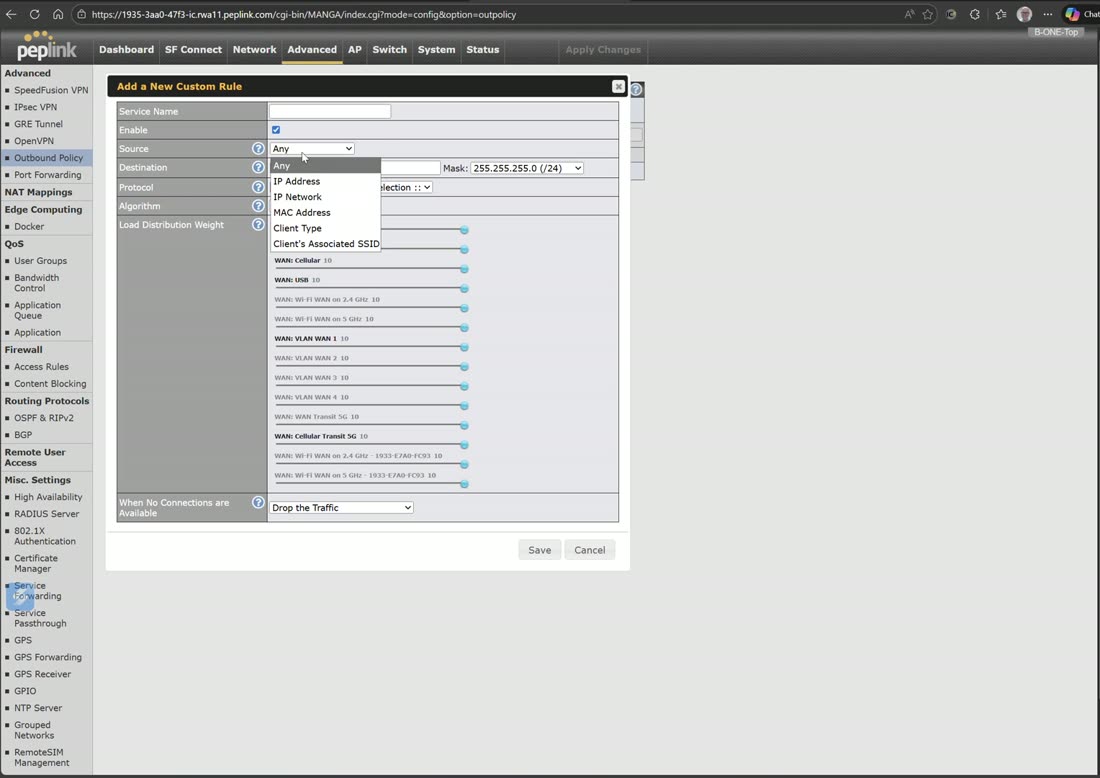
- Steer POS to the best path. In Outbound Policy, add a rule matching the POS VLAN and use Priority (or a smoothed SpeedFusion tunnel) so POS rides the most reliable connection; leave guest on plain load-balancing.
- Lock it down. Add an internal firewall rule so Guest cannot reach the POS VLAN at all.
Tip
Do this once in InControl and it pushes to every store at once — the rule set, the VLANs, and the firewall in one policy across the whole fleet.