
Start here: InControl 2 in twelve minutes
The best single overview of what InControl 2 does — recorded by West Networks. Watch this first, then dive into the sections below.
InControl 2 is Peplink’s cloud management platform. This walkthrough follows the 2.14.2 interface end to end. Start at incontrol2.peplink.com.
Accounts & sign-in
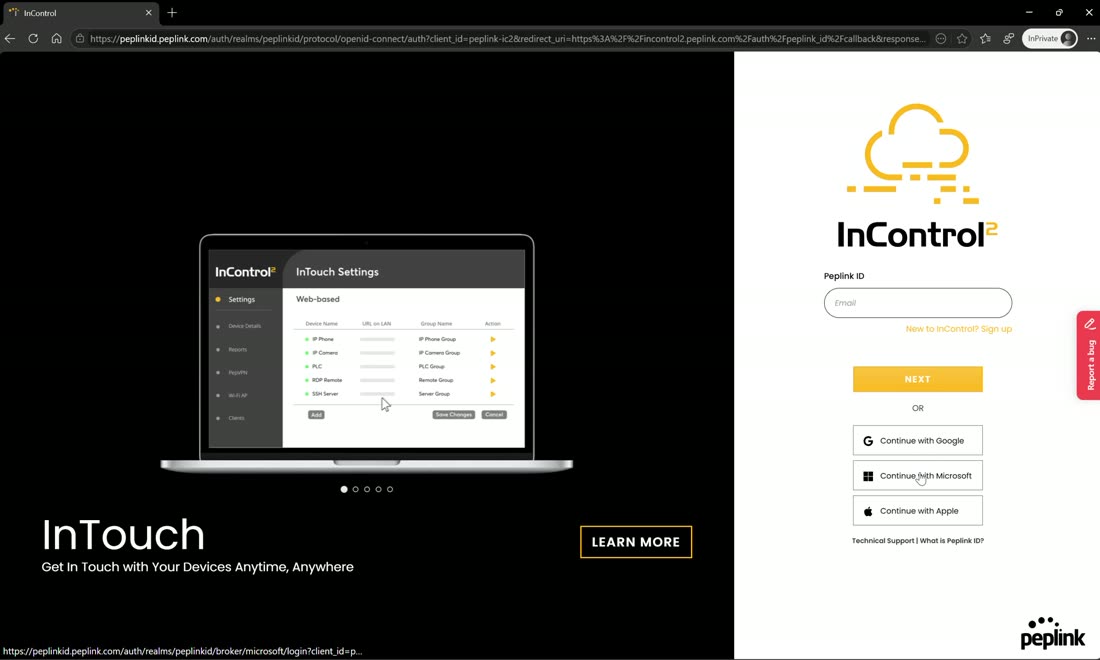
If you’re new to InControl you have to create an account or sign in. Sign in with a Google, Microsoft, or Apple identity, or choose “new to InControl,” enter your credentials, and hit create — you’ll then get an email asking you to verify your account.
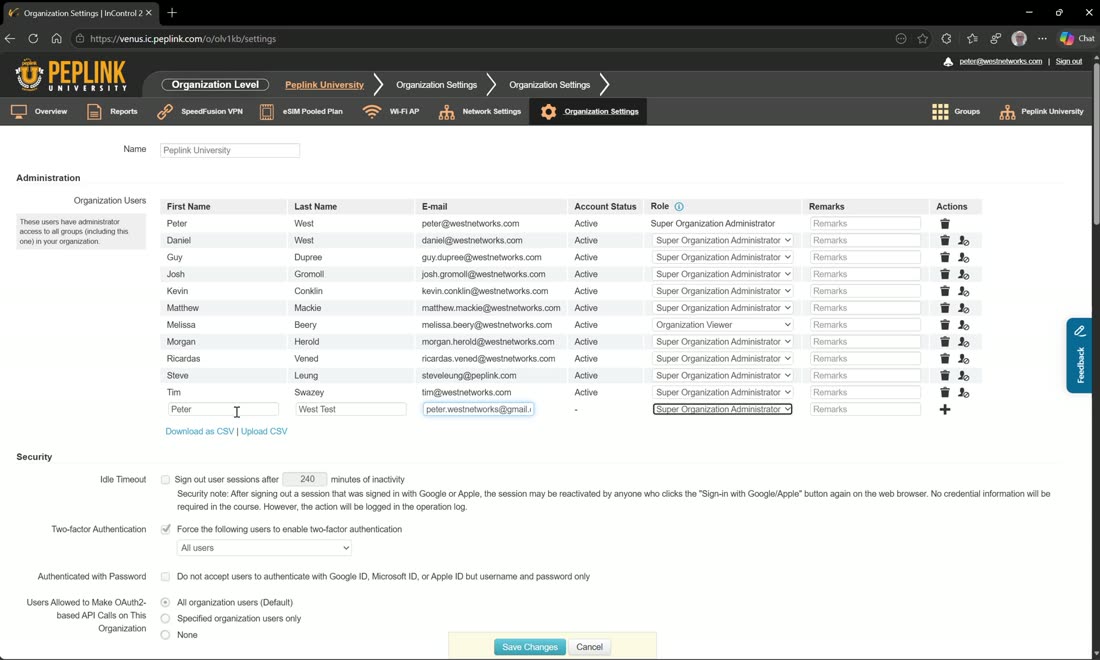
You can also be invited to InControl. From Organization Settings an admin invites an account by email address, sets some permissions, and hits save changes — the invitee then receives an invite email and can sign in.
An invite isn’t a password
Even after accepting the invite, the invited user still has to go and create their own password before the system will let them in.
Your profile & 2FA
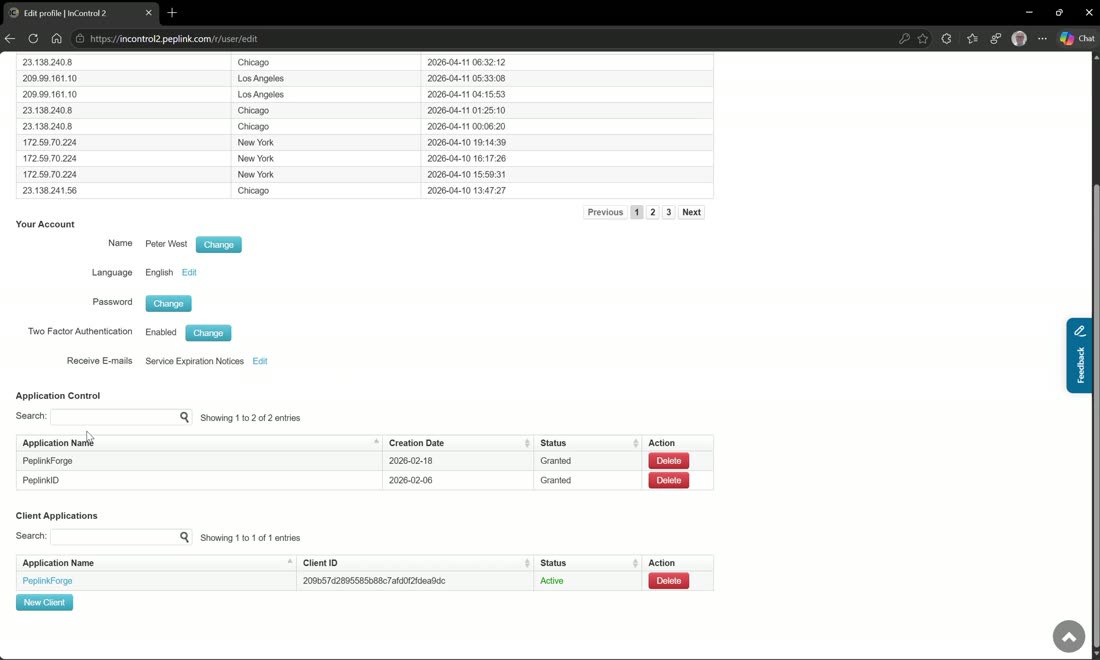
Once you’re in the system, click your name in the top-right corner to reach your profile. From here you can:
- See your login attempts.
- Change your name, language, and password.
- Set up two-factor authentication — highly recommended.
- Choose how you receive email — edit whether you get service-expiration notices, notifications, or report emailing. Uncheck a category and you simply won’t receive those (for example, notifications when people send you things).
- Set your application control and client applications.
The three levels
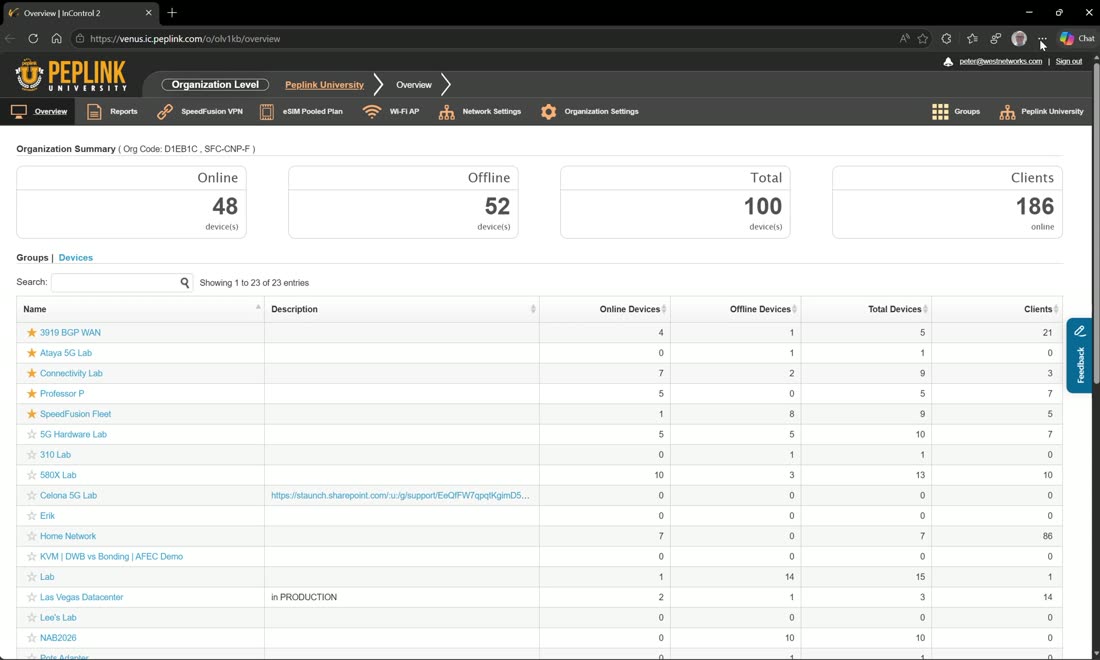
InControl is broken into three levels, and it’s colour-coded so you always know where you are — orange icons mean organization, cream means group, and white means device:
- Organization (orange) — contains the groups. Add a user at the organization level and they get access to all the groups in that org.
- Group (cream) — a group of devices. If you only want someone to have access to specific groups, add their credentials at the group level instead. The same person can be added to multiple groups and will only see the groups they’ve been given.
- Device (white) — a single unit; the level says “device level.”
Read the colour to know your scope
White menu icons = you’re in a device. Cream = you’re in a group. Orange = you’re at the organization level. Scoping users at the group level (rather than the org) is how you give a business unit or customer their own IT admins without exposing the rest of the org.
Webinar: efficiently manage your Peplink ecosystem
How to effectively manage your Peplink ecosystem? Well, you can now find the answer in our webinar. Professor P. will share his expert insights and…
From Peplink University with Professor P.
Webinar: InControl 2.14 deep dive
Peplink University’s July webinar delivered a powerful mid-year update hosted by Peter and Travis, as they walk us through the ever-evolving features of…
From Peplink University with Professor P.
Watch: related training videos
- Support | What’s In InControl 2 (Peplink University, 2 min)
- Support | InControl 2 PepVPN Configurator (Peplink University, 1 min)
- Support | How to Activate InControl (Peplink University, 3 min)
- Webinar | Introduction to Peplink Firmware 8.0.1 and InControl 2 2.8.2 (Peplink University, 27 min)
- Tutorial: Add & Remove Devices – InControl 2 (West Networks, 3 min)
- Managing Peplink Wireless using InControl2 (West Networks, 3 min)
- Peplink University Webinar | What‘s New, What’s Improved—Inside InControl 2.14 (Peplink University, 54 min)
- InControl 2.12 Overview! (West Networks, 44 min)
- Support | What are the New Features of InControl 2 (Peplink University, 1 min)
- Easy Wi-Fi Mesh Configuration with Peplink’s InControl2! (West Networks, 4 min)
- How to Update Your Cellular Firmware with Incontrol2! (West Networks, 4 min)
- Peplink University Monthly Webinar | Elevate Your Network Management: The Power of InControl (Peplink University, 62 min)
- All 17 related videos in the Video Library →