
- “Resume Master Role Upon Recovery” is now honored reliably — including in no-WAN environments.
- HA config sync interval reduced to 2 minutes; the HA LAN admin IP follows LAN IP changes.
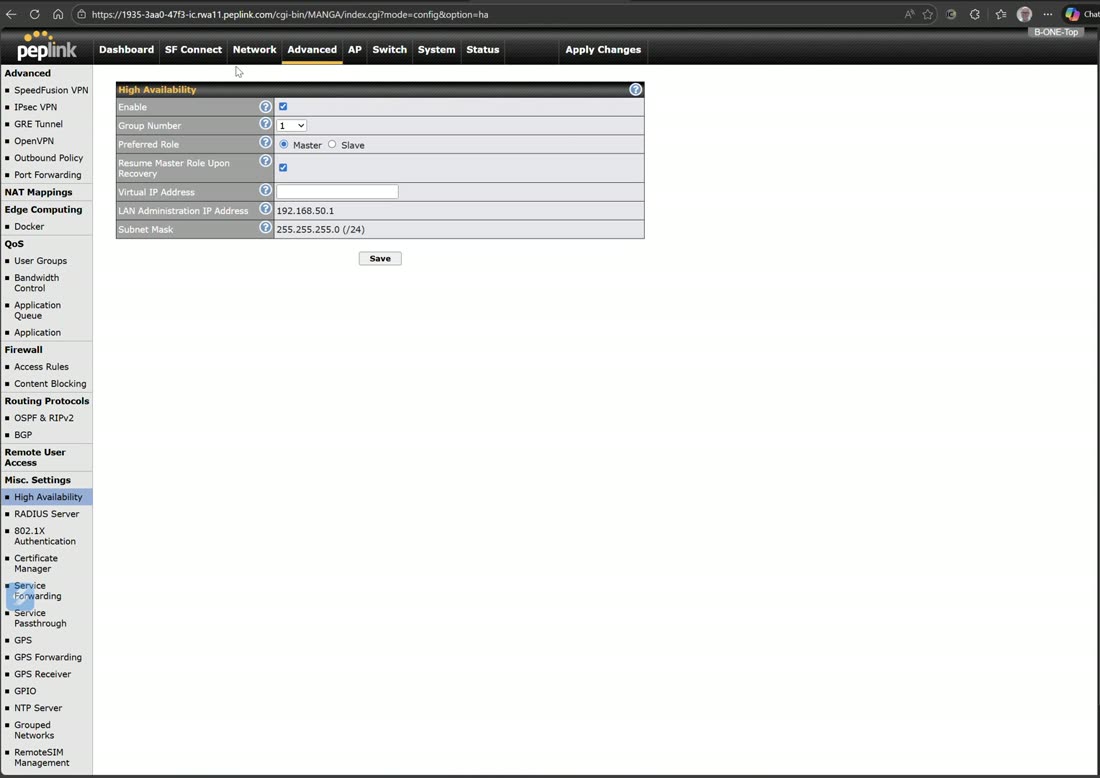
High Availability (HA) pairs two routers for active/passive failover: one runs as master, the other as slave, and if the master goes down the slave takes over the whole network in seconds.
How the two routers stay in sync
The HA heartbeat and sync run over the router’s untagged LAN — which is also VLAN 1. Both routers must sit on that same untagged LAN segment so they can see each other.
Rule: never add VLAN 1 to a router
VLAN 1 is the untagged / native LAN that HA relies on. Don’t define VLAN 1 as a tagged VLAN on the router — leave it as the untagged interface and build your real networks on other VLAN IDs.
Configuration Sync — a full mirror
With Configuration Sync enabled, the pair is a full mirror: any change you make on the master is automatically applied to the slave. You manage one router; the other stays byte-for-byte identical and ready to take over.
The three IPs (and the Group ID)
HA needs three IP addresses on the untagged LAN:
- Master router IP — the master’s own LAN address (for example
.2). - Slave router IP — the slave’s own LAN address (for example
.3). - Virtual IP (VIP) — the shared gateway your clients actually use (for example
.1). It floats to whichever router is currently active.
The Group ID determines the virtual MAC addresses the pair uses. Give each HA pair on the same LAN its own Group ID so their virtual MACs never collide.
Faster failover: run the WANs hot on the slave
By default the slave’s WANs stay down until it takes over. For the fastest possible failover, you can disable Configuration Sync and enable the WANs on the slave so it is already connected and ready to forward the instant the master drops.
The trade-off: without config sync you now maintain two routers by hand. That means:
- Unique tunnels on each router — they can’t share one SpeedFusion tunnel identity.
- Unique WAN IP settings per router.
- Every other setting configured on both routers manually.
What still syncs
Even with Configuration Sync off, the two routers still sync over the LAN. It is only WAN settings, tunnels, and configuration that stop syncing — those you now own separately on each unit.
What a slave does in slave mode
While a router is in slave mode, its VLANs are disabled — only the untagged LAN interface IP responds. That is how you reach and manage a slave: on its untagged-LAN address. It only brings its VLANs up when it is promoted to master.
Upgrading firmware on an HA pair — slave first
Always upgrade the slave before the master
Upgrade the slave first, then the master. Because the slave sits in standby, upgrading and rebooting it doesn’t interrupt service — the master stays active throughout. Once the slave is back up on the new firmware, upgrade the master: it fails over to the already-upgraded slave during its reboot, so the pair ends on matching firmware with near-zero downtime.
Do it the other way round and you’d fail live traffic over to a slave still running the old version — a firmware mismatch at exactly the wrong moment.
West Networks field note
HA is router-level redundancy — a hot spare box — and it pairs with SpeedFusion’s link-level redundancy (bonded WANs). Together, no single link and no single router is a point of failure. This is failover done right: deliberate, hot, and instant — not the single “backup circuit” that drops every session when it trips.
Watch: related training videos
- Support | Configuring 1+1 Backup by High Availability (HA) (Peplink University, 5 min)
- Browse the full Video Library →