
Always verify a bond after building it. Two built-in tools prove it.
The live bonding test
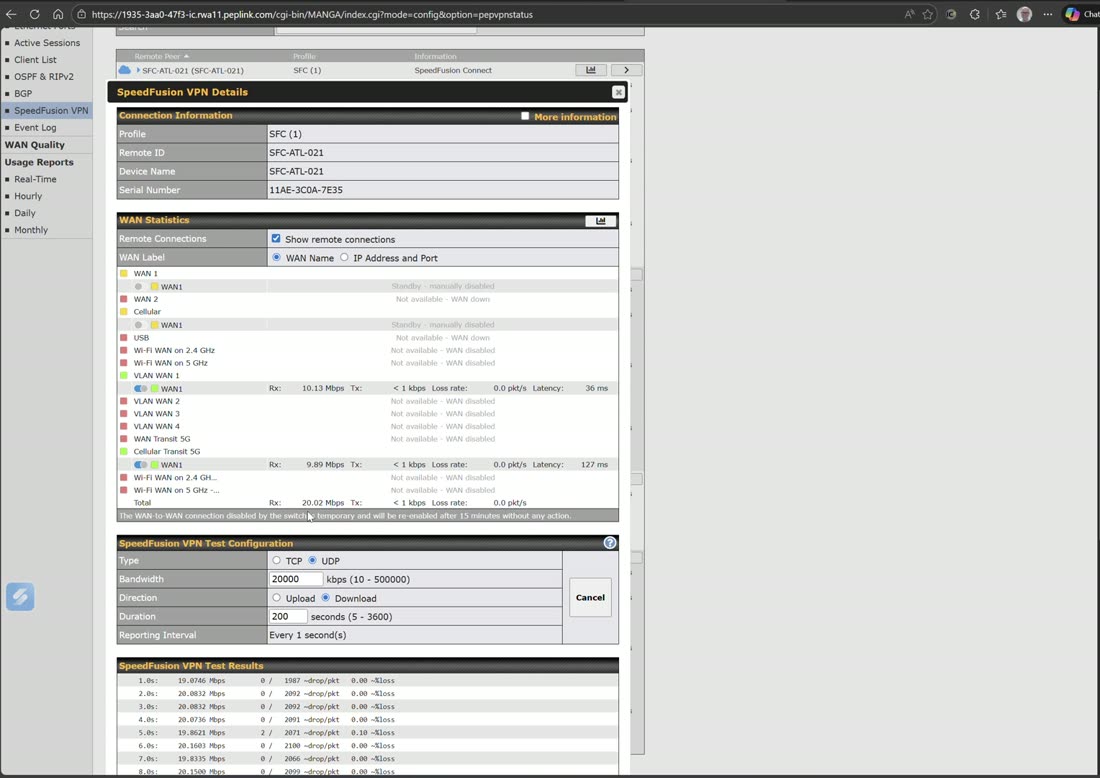
Under Status → SpeedFusion VPN status, pick a rate (e.g. 20 Mbps) and duration, start the test, then physically turn off WANs one at a time. A healthy bond holds the rate with near-zero loss and re-balances across whatever links remain — you can watch per-WAN distribution, latency, loss, and out-of-order packets live.
WAN performance analysis
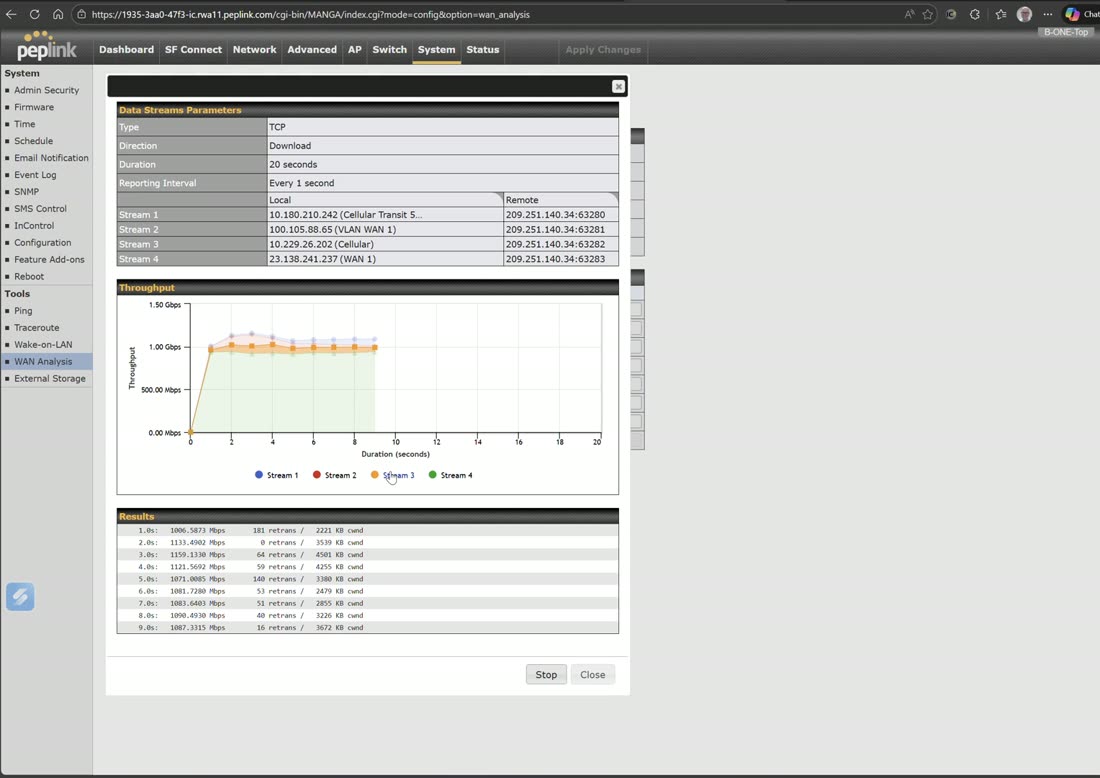
WAN Analysis (System tools, or the InControl device level) turns one router into a server and another into a client to measure the true throughput of each WAN — the fastest way to certify connectivity or troubleshoot an underperforming link.
Field note
Capture a bonding-test and WAN-analysis result when a site is healthy and save it. When someone later says “the internet is slow,” a before-and-after turns a vague complaint into a measurable, fixable difference.