
- SFC Direct Access: the SF Connect app can connect straight to supported routers.
- SFC data-allowance status no longer misreports “Unlimited” after the quota is spent.
⚠ SpeedFusion Connect (SFC) limits are NOT SpeedFusion limits
SpeedFusion is the bonding & hot-failover engine built into your Peplink device. It is perpetual — there is no subscription on it, and your own device-to-device tunnels (site-to-site, or to your own FusionHub) keep running no matter what.
SpeedFusion Connect (SFC) is Peplink’s public, hosted bonding service — shared bonding endpoints in Peplink’s cloud. Any limit, data quota, expiration date, or renewal notice you see applies to your access to that public SFC service — not to SpeedFusion itself. If an SFC plan lapses, SpeedFusion still works; you only lose the public endpoints.
SpeedFusion Connect is Peplink’s public bonding service — for sites that don’t have their own FusionHub or peer router to bond to. Configure it under the SpeedFusion Connect tab (client mode).
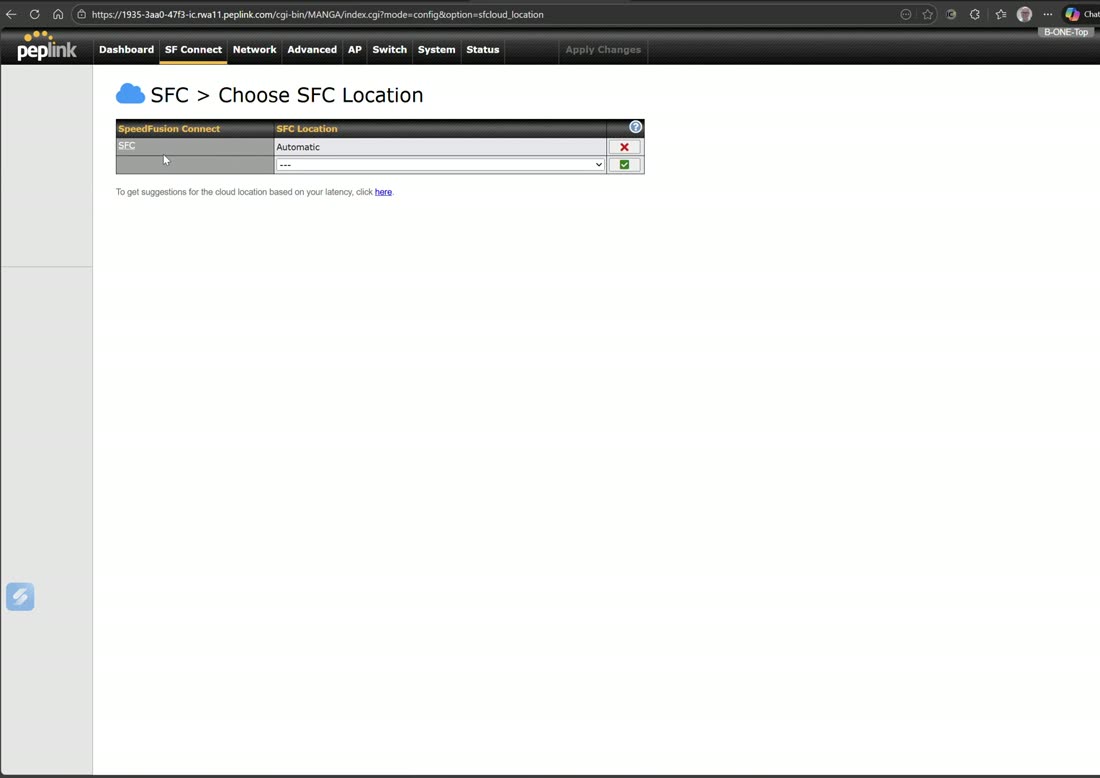
Add up to three SFC locations (Automatic by default).
Sub-tunnels
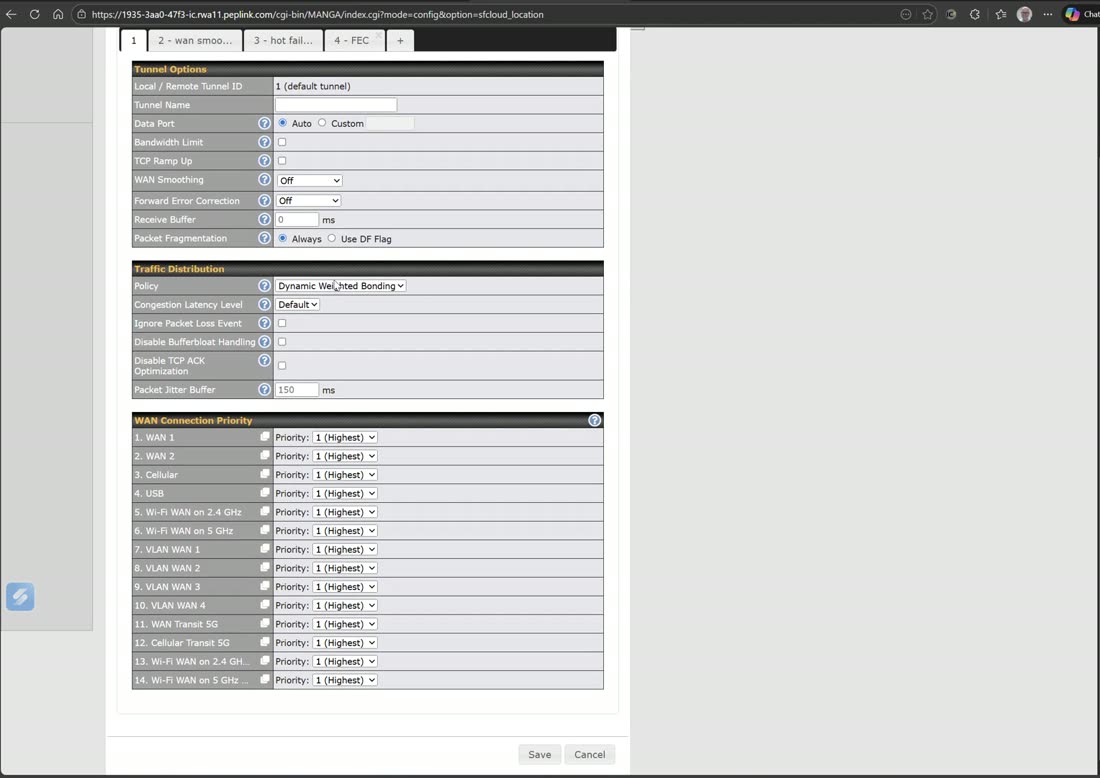
Each location can carry several sub-tunnels with different behavior: a primary bonding tunnel, a WAN-smoothing tunnel, a hot-failover tunnel (WAN 1 → cellular → Starlink), and an FEC (forward error correction) tunnel.
Routing traffic into SFC
Creating a tunnel doesn’t send traffic through it — you tell the router what to use it for, four ways: route by cloud application, route by SSID, route by LAN client, or advanced outbound policy.
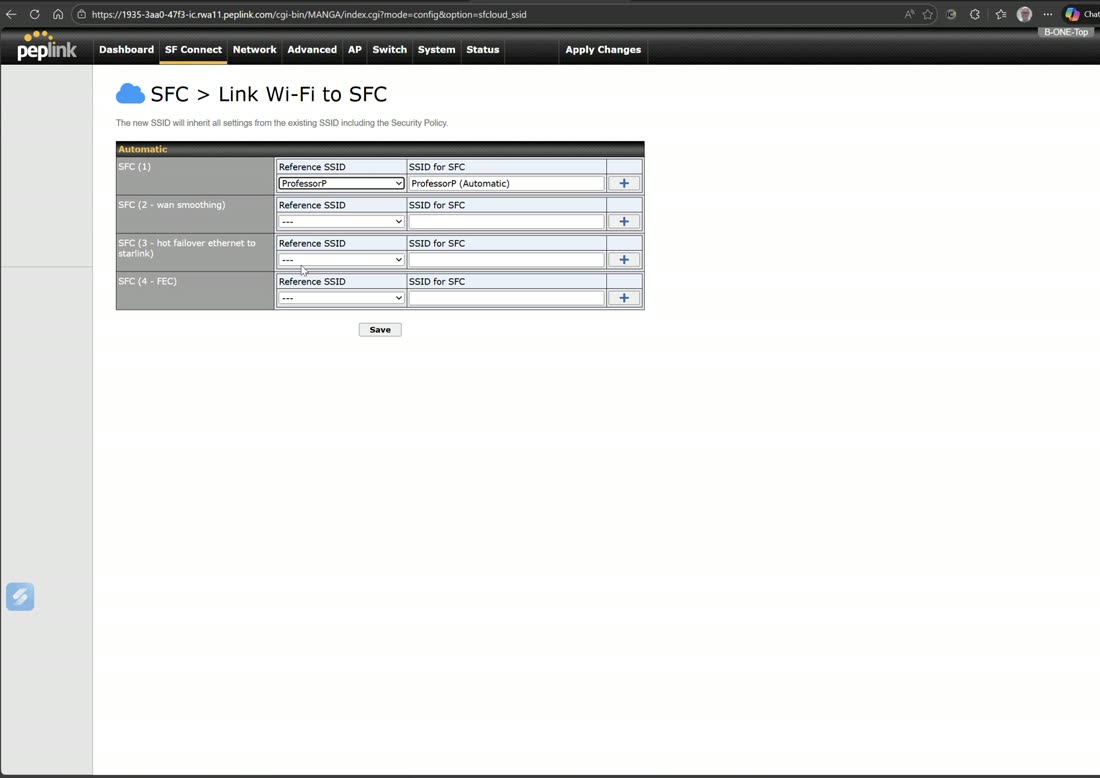
Route-by-SSID is elegant: enabling bonding and FEC on an SSID creates extra SSIDs — connect a device to … Bonding to aggregate all WANs, or to … FEC to add forward error correction (ideal for a streaming camera).
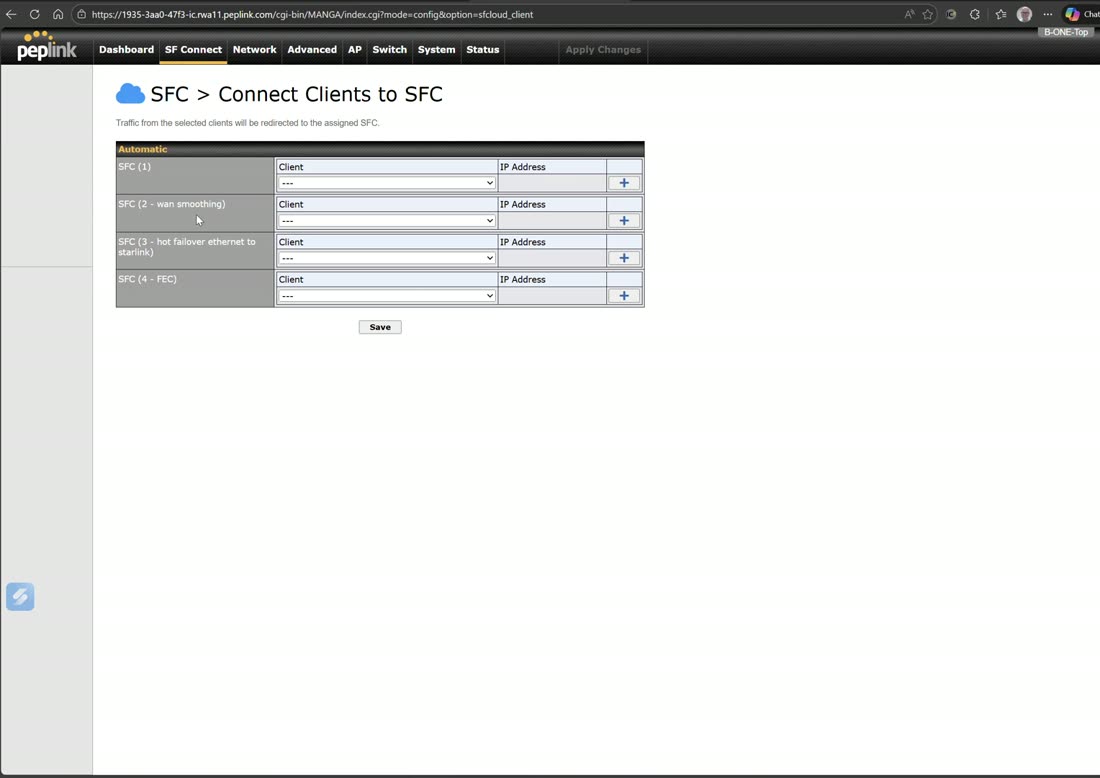
Route-by-LAN-client forces a specific device (say a switch or AP) to always go out a chosen tunnel.
Field note
A cloud-app rule for Zoom / Microsoft Teams / FaceTime on the WAN-smoothing tunnel gives the lowest-latency, most resilient calls — it uses every link at once, so it costs the most bandwidth but keeps meetings flawless.
Webinar: the SpeedFusion Connect app
Learn more about how a SpeedFusion Connect App can streamline Your Network Management.
From Peplink University with Professor P.
Watch: related training videos
- Rethinking Connectivity with Peplink and SpeedFusion Connect (Peplink University, 1 min)
- Browse the full Video Library →