
- Permanent FIPS on eligible hardware; IPsec PSKs under FIPS must be ≥14 characters.
- Weak certificates/keys (DSA, short RSA, legacy PKCS#12) are rejected outright — audit Certificate Manager.
- CLI command-injection and unauthenticated Web Admin vulnerabilities closed, SSH components patched, CVE-2026-42945 addressed; RadSec + SHA2-384 IPsec added. Schedule this upgrade for PCI scopes.
This is a practical hardening workflow for bringing a Peplink network in line with PCI-DSS 4.0, driven almost entirely from InControl so it scales to a fleet. It complements Peplink’s own hardening guide.
Prerequisites: Balance/MAX/EPX on current firmware, InControl access, a dedicated management VLAN, and ideally a SIEM for log monitoring.
1 — Unique credentials
InControl → Group → Device System Management: replace the default admin username, assign a unique/random password per device, keep secure backups, and rotate every ~180 days.
2 — Restrict management access
Authenticate via local/RADIUS/TACACS; optionally disable CLI/SSH consoles. Force HTTPS-only web admin, limit it to the LAN and the management VLAN, and block guest/staff networks. Apply the same to switches and APs.
3 — LCD front-panel security
Password-protect the device’s physical LCD to prevent local tampering.
4 — Multi-factor authentication
Organization Settings → enable Force Two-Factor Authentication for all users.
5 — Disable ICMP responses
For each WAN (see WAN Interfaces), uncheck Reply to ICMP Ping.
6 — Firewall: deny by default
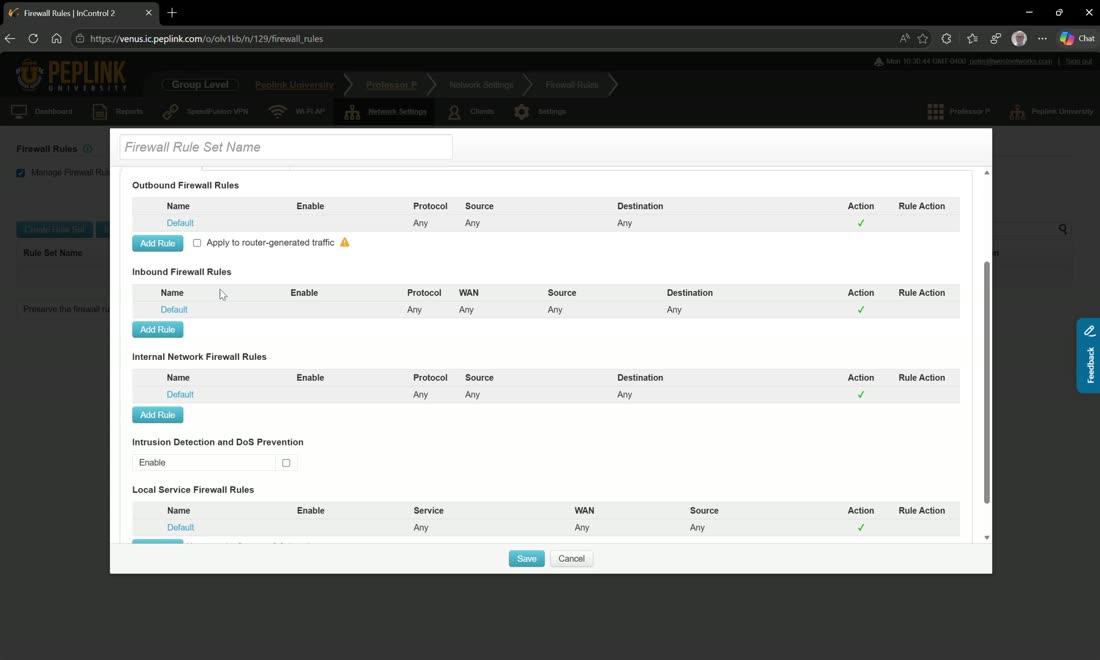
Create a rule set named “PCI DSS 4”: default inbound = Deny, enable Intrusion & DoS Protection; optionally block risky regions (with logging) and allow only approved SaaS (Google Workspace, Microsoft 365).
7 — Content blocking
Block adware, malware, proxy/anonymizers, BitTorrent, DNS-over-SSL, DNSCrypt, and Tor; enable automatic URL-database updates.
8 — Segment the POS network
Create a dedicated POS VLAN (e.g. VLAN 200), disable inter-VLAN routing, and add three logged firewall rules: POS → approved servers (allow), POS → anything else (deny), other networks → POS (deny). Use a grouped network for the approved POS servers.
9 — Logging & monitoring
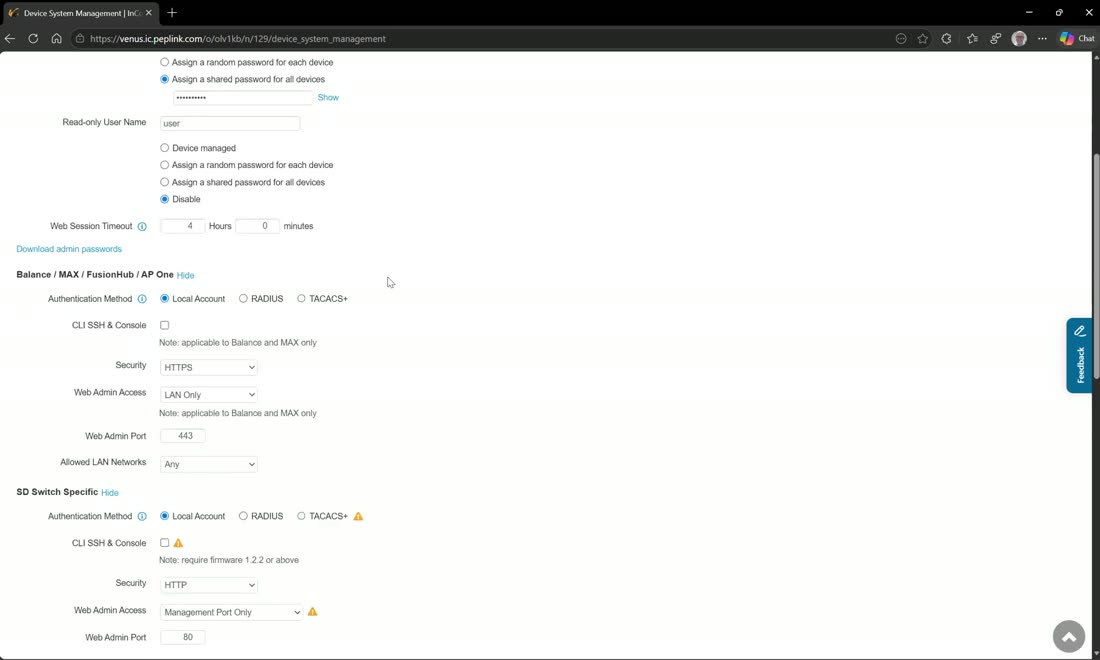
Enable logging on every firewall policy; under Device System Management → Logging, enable SNMP, NetFlow, and remote syslog to your SIEM.
10 — Review & document
Review firewall rules every 6 months, track changes in the operational log, and document segmentation (PCI-DSS 1.1.7).
11 — Incident response
Document procedures for rule changes and device installation (VLAN/IP documentation, service approval), train the team, and wire SIEM alerts to ticketing.
Field note
Because this is driven from InControl, the whole hardening baseline can be a bulk-configurator template plus group policies — so every new site is PCI-aligned the moment it comes online.
Webinar: PCI DSS 4 hardening walkthrough
Welcome to Peplink University! In this video, we present the Peplink PCI DSS 4 Hardening Guide, developed in collaboration with West Networks. This guide update
From Peplink University with Professor P.
Watch: related training videos
- Peplink University Monthly Webinar | Strengthen Your Network Security with Peplink (Peplink University, 59 min)
- Cyber Security Interview: Al Wissinger from Fluency Security (West Networks, 26 min)
- Browse the full Video Library →