
- Device status now updates correctly on InControl, and the InControl agent connection is more stable.
- WAN up/down events report the correct priority (so InControl notifications fire right), and DHCP-renewal IP changes reach the event log.
- InControl Remote Web Admin now works in FIPS mode.
⚠ SpeedFusion Connect (SFC) limits are NOT SpeedFusion limits
SpeedFusion is the bonding & hot-failover engine built into your Peplink device. It is perpetual — there is no subscription on it, and your own device-to-device tunnels (site-to-site, or to your own FusionHub) keep running no matter what.
SpeedFusion Connect (SFC) is Peplink’s public, hosted bonding service — shared bonding endpoints in Peplink’s cloud. Any limit, data quota, expiration date, or renewal notice you see applies to your access to that public SFC service — not to SpeedFusion itself. If an SFC plan lapses, SpeedFusion still works; you only lose the public endpoints.
The device level (white) is specific to one unit and, in Peter’s words, “is not as intense as the group level” — it’s scoped to just this device but adds detail the group view doesn’t. Remember the color code: white icons mean you’re at the device level, cream is the group, orange is the organization.
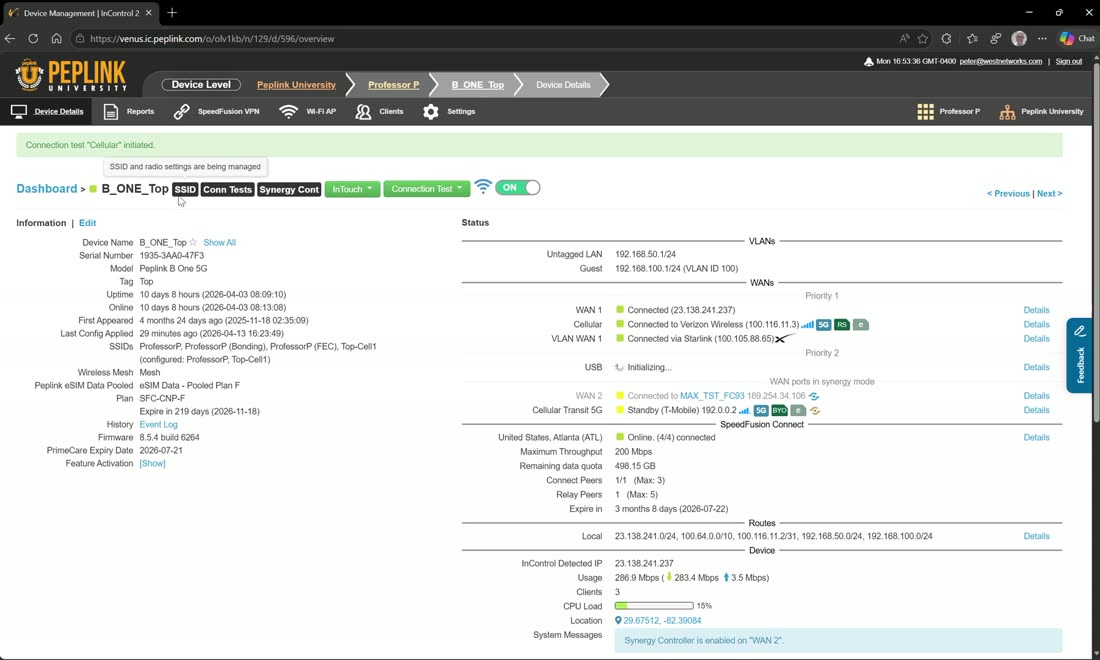
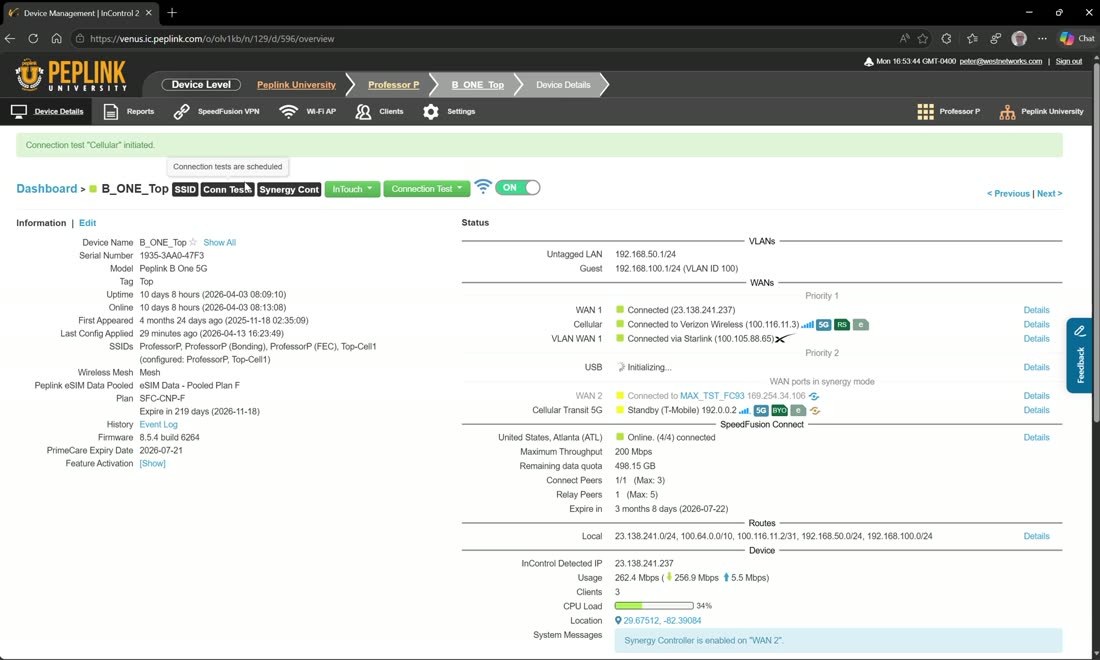
At the device level you can run an on-demand connection test — e.g. a speed test straight on the cellular modem — and read the result inline (Peter’s run showed about 225 Mbps on the cellular connection). The device page also shows what’s actually being pushed to this unit: when you’re using bulk or group-level configuration, the device view lets you see which settings are being applied to this specific device (SSIDs, WAN config, and so on).
Reports & site survey results
Device reports mirror the group and org reports but are specific to this unit — and two are different. First, bandwidth/usage adds real-time and per-minute detail on top of the usual hourly/daily/monthly, so you can look back per minute or watch it live (you’ll see a speed test you just ran show up immediately).
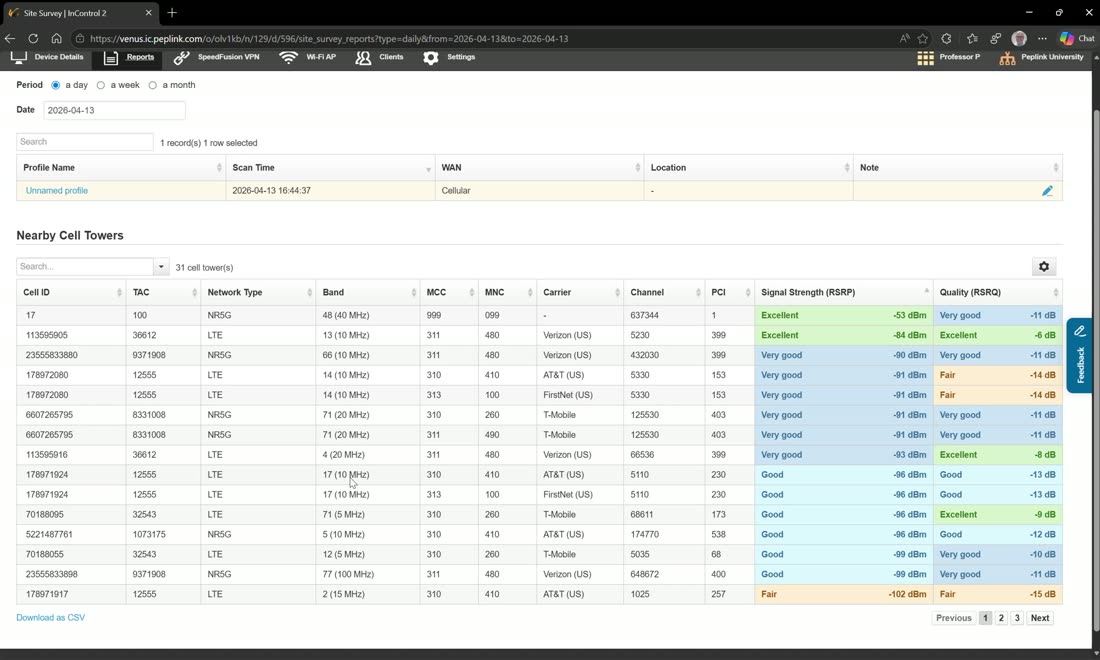
Second is the site survey, which only runs on 5G-capable routers. It ranks every carrier by signal — sorted good / medium / bad — and shows the band, channel, PCI, and available bandwidth per carrier (Verizon, AT&T, FirstNet, T-Mobile, and so on). That lets you PCI-lock or channel-lock onto the best cell: Peter’s example is an n77 5G channel with 100 MHz of availability rated “good.” Crucially, the survey is independent of the SIM installed in the router — it reports what’s available in the area regardless of carrier.
Heads-up: the survey takes the cellular WAN offline
Running a site survey shuts the cellular down, runs the scan, then reconnects — so on a single-modem device like a BR1 that WAN will drop briefly during the survey. Kick it off from Group → Site Survey (device: all, cellular), then read the results back under Reports → Site Survey.
Monitor & InTouch a device
The device Clients view is local to this unit, and it’s where the device-level equivalent of the group’s “monitor” lives: InTouch. You can also Monitor a device — clicking Monitor subscribes it to your notification profiles, so InControl emails you if that device becomes unresponsive.
Device tools
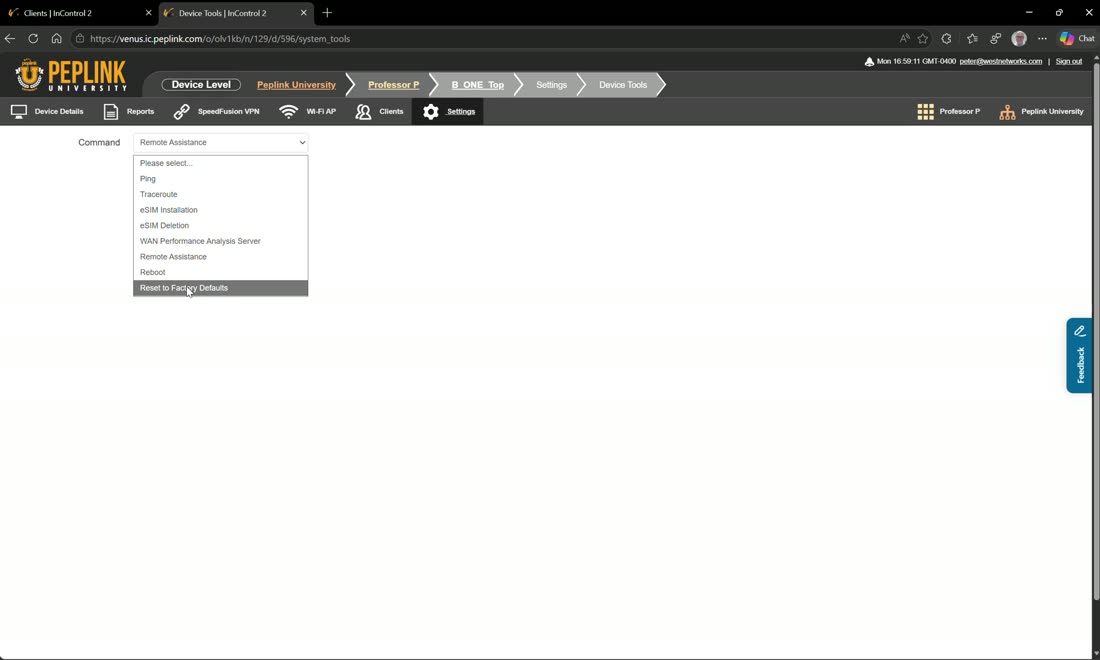
Device tools gives you ping, traceroute, and eSIM installation — enter the code manually, scan a QR code, or, if your SIM is eSIM-discoverable (Peter cites T-Mobile, AT&T, and Verizon), just assign the ICCID/ID to the carrier and hit acquire and it goes and finds it, the same way an iPhone would. eSIMs can also be deleted here.
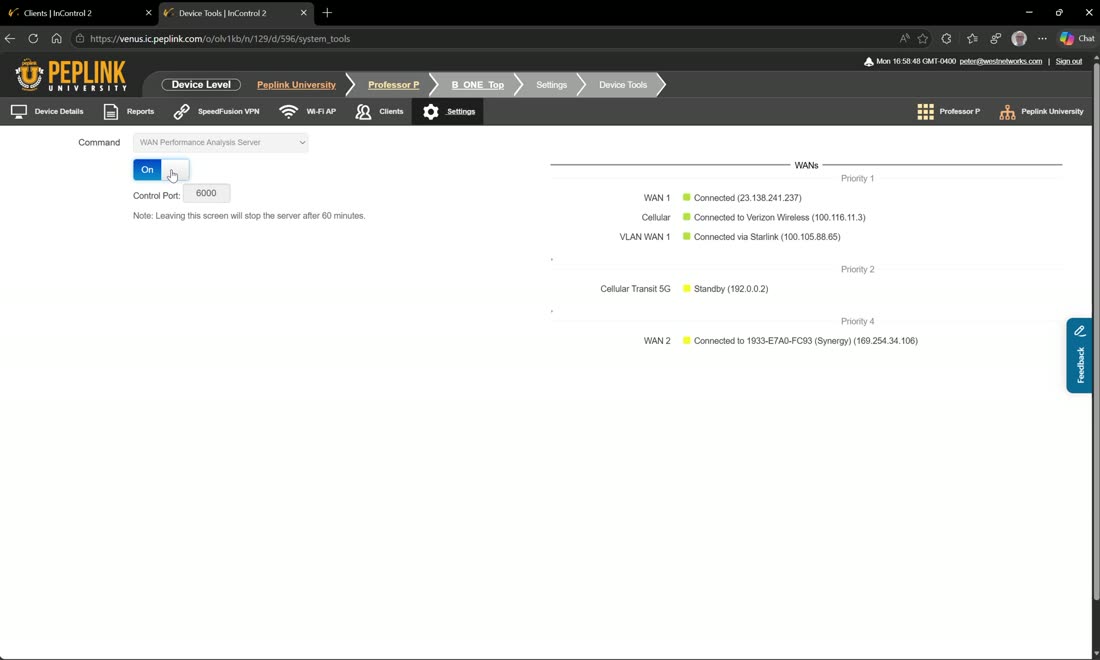
The WAN Performance Analysis Server (Peter flags it as more of a PCA/PCE-level tool) turns the device into an iperf-style endpoint — it enables the test daemon on this unit, and then from another device you act as the client, point at its public IP, and measure the link. Turn it back off when you’re done.
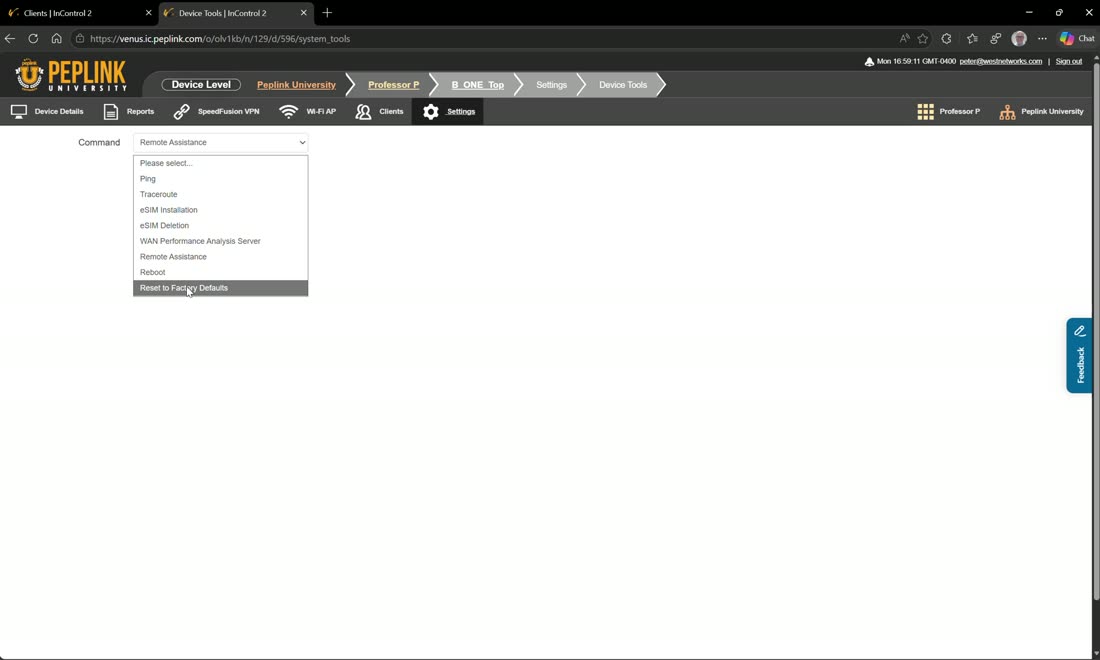
Also here: remote assistance (toggle it on or off right from the device), reboot, and reset to factory defaults — the factory reset being the starting point of a zero-touch deployment.
Also under device Settings
Beyond device tools, the device’s Settings hold remote web admin (log straight into the unit), Local UI InTouch, Web CLI, and Firmware — Local. That local firmware option is Peter’s go-to for beta testing: push new firmware to one router, confirm it’s good, then promote it to the group, and only after that to the whole org.
Webinar: simplify SIM management
Learn more about how a compact SIM Injector and the InControl management system can enable easy and flexible SIM management for your deployment. Check out…
From Peplink University with Professor P.
Video: remotely switch SIM cards in InControl 2
From Peplink University with Professor P.
Webinar: Peplink GPS technologies
Whether you're already familiar with Peplink's solutions or just beginning to explore them, this webinar promises to be an enlightening journey that expands…
From Peplink University with Professor P.
Webinar: Peplink's eSIM solution
Get ready to see how Peplink's eSIM technology can improve your network management and connectivity options.
From Peplink University with Professor P.
Watch: related training videos
- Installation Guide | MAX HD2 Dome with SIM Injector (Peplink University, 7 min)
- Peplink University Monthly Webinar | Exploring Peplink's GPS Capabilities (Peplink University, 46 min)
- Support | SIM priority (Peplink University, 2 min)
- Support | How to Read the SIM Card Report (Peplink University, 10 min)
- Tutorial: Install a SIM Card in the HD1 Dome (Or HD2 Dome) (West Networks, 2 min)
- Peplink University Monthly Webinar | Simplify SIM Management (Peplink University, 69 min)
- This 1U Rack Router Has 8 WAN Ports, 10G, and Built-In SIM Management — Peplink Balance 580X HW2 (West Networks, 13 min)
- Peplink Portfolio | MBX Dead Reckoning GPS UPGRADE! (Peplink University, 1 min)
- InControl2: Remotely Switch SIM Cards (West Networks, 2 min)
- Browse the full Video Library →