
- InTouch now monitors USB serial adapters and connected serial ports — connection state and timeout events are reported.
- New raw-TCP CLI access to Ethernet-to-Serial servers rounds out out-of-band tooling.
InTouch is Peplink’s out-of-band management (OOBM): the router becomes a secure gateway to the equipment behind it, reachable through InControl with no inbound firewall holes.
Device (IP) InTouch
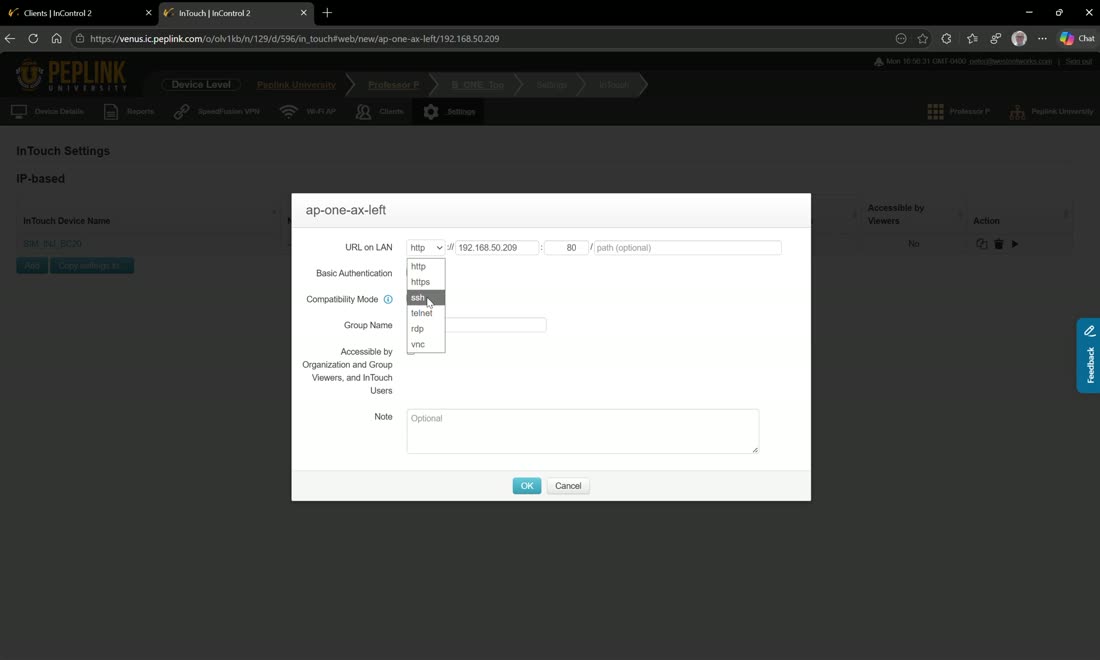
InTouch lives on the device level, under a device’s local Clients view. Pick a client that sits behind the router — in the video an AP One AX — enable InTouch for it, choose a protocol, and hit save. You then connect straight to that device through InControl.
The available protocols are HTTPS, SSH, Telnet, RDP, and VNC, so you can reach practically anything on the LAN — Peter’s examples are “a kid in VR, or a webcam, or a server you want to manage, or an iDRAC.” Whether a given session actually connects depends on the device’s own settings, but the path in is the router itself.
Where to find it
Device level → the device’s Clients list. Each client behind the router can have InTouch enabled individually with its own protocol. It’s also exposed under the device’s Settings → Local UI InTouch, which is where you manage the InTouch profiles.
Serial (RS-232) InTouch
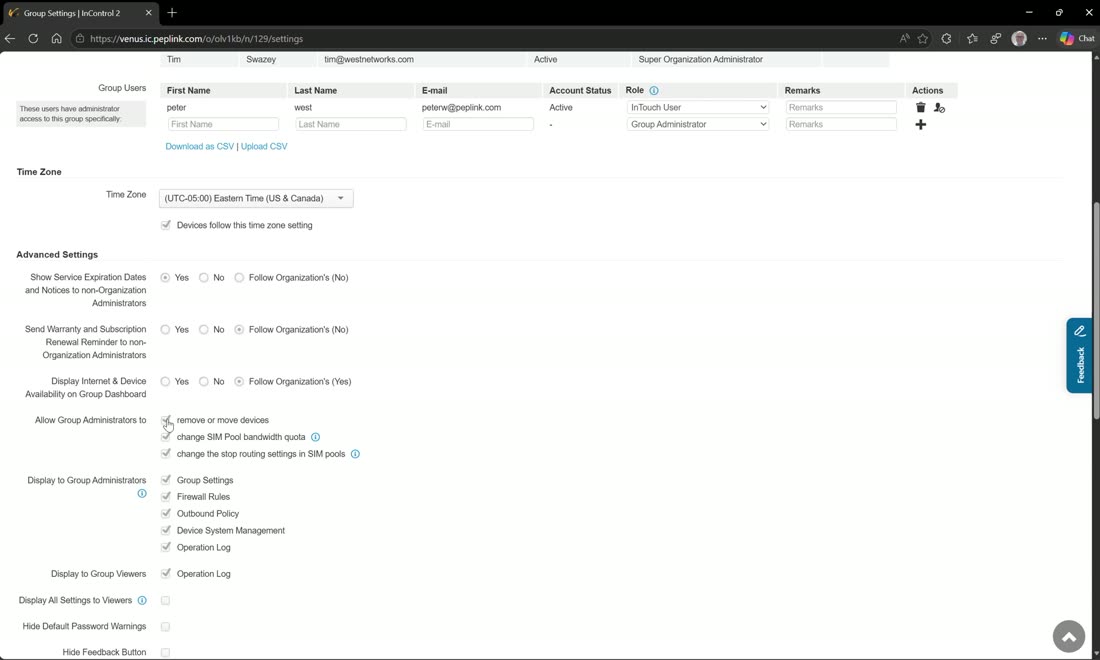
Serial-port-based InTouch is new in this release and requires a special firmware. Once you’re on that firmware, you enable it from Group → Settings, which means you can turn on RS-232 out-of-band access across an entire group at once.
As Peter puts it: if you have 1,000 devices with a serial RS-232 port on them and you want that console reachable, you don’t have to log into each device to turn it on — you enable it group-wide, right here.
Field note
InTouch is the OOBM answer to “the site is down and I can’t reach the firewall/switch/server behind the router.” As long as any WAN on the Peplink is up, you have a secure path to the gear behind it — over IP for web/SSH/RDP-style access, or over the serial console for gear that only speaks RS-232.
Webinar: get in touch with InTouch
From Peplink University with Professor P.
Watch: related training videos
- Peplink University Monthly Webinar | Get In Touch with InTouch (Peplink University, 50 min)
- Peplink University Webinar | Get InTouch with Your Devices, Anytime, Anywhere (Peplink University, 48 min)
- Browse the full Video Library →