
Outbound policy in InControl works like the local version but adds fleet-wide reach and extra match types. Because it is applied at InControl, a rule can be pushed to hundreds or thousands of routers at once.
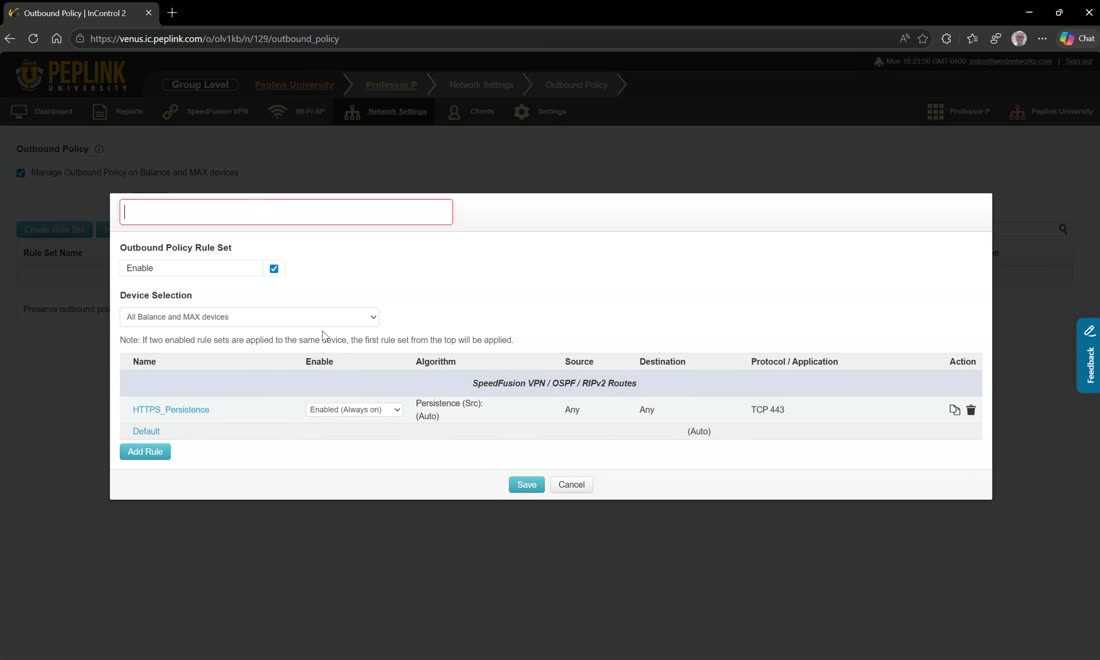
Click Manage outbound policies, then Create rule set. Assign it by tag — to any, all, or none of the devices carrying the tags you choose. If you have already configured your routers locally, hit Import and drag the configuration file in rather than rebuilding the rules by hand.
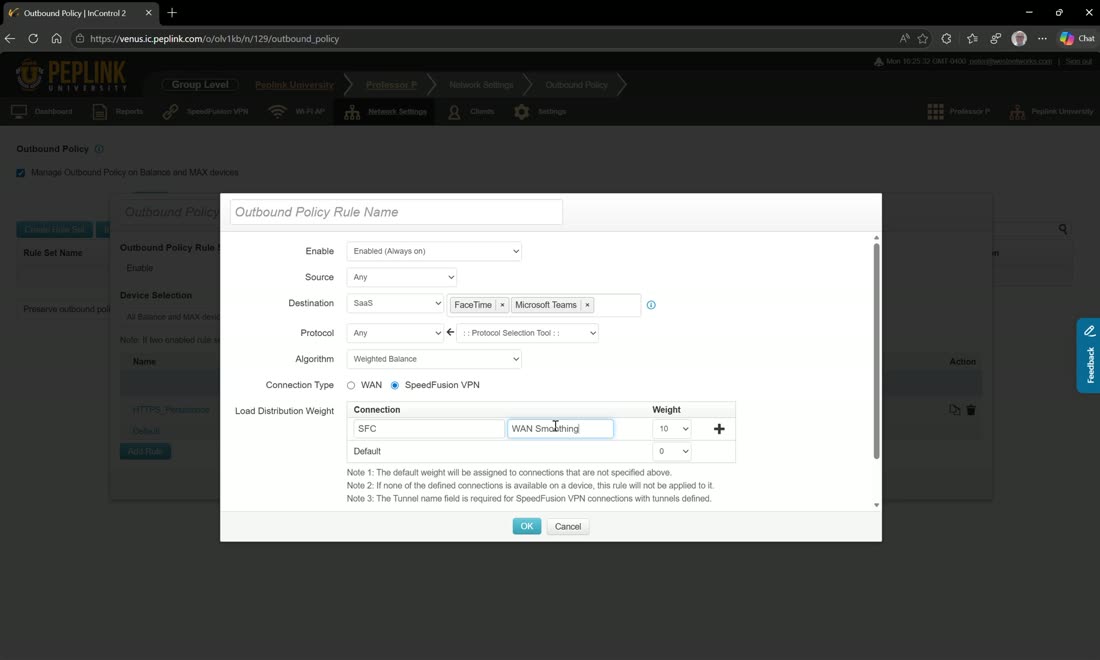
On the router you get IP address, network, MAC address, group, MAC-address group, network group, client type, and associated SSID. In InControl you get two more: SaaS and region. So you can send anything destined for the United Kingdom over a UK SpeedFusion Connect tunnel, or match a SaaS application like FaceTime or Microsoft Teams and route it over a SpeedFusion tunnel configured for WAN smoothing — the best-quality, lowest-latency path available.
Point outbound rules at subtunnels
Outbound policies can target the SpeedFusion subtunnels you defined under Link Settings — for example one bonding tunnel, one WAN-smoothing tunnel, plus a couple of Layer-2 VLAN subtunnels — so different application classes ride the profile that suits them.
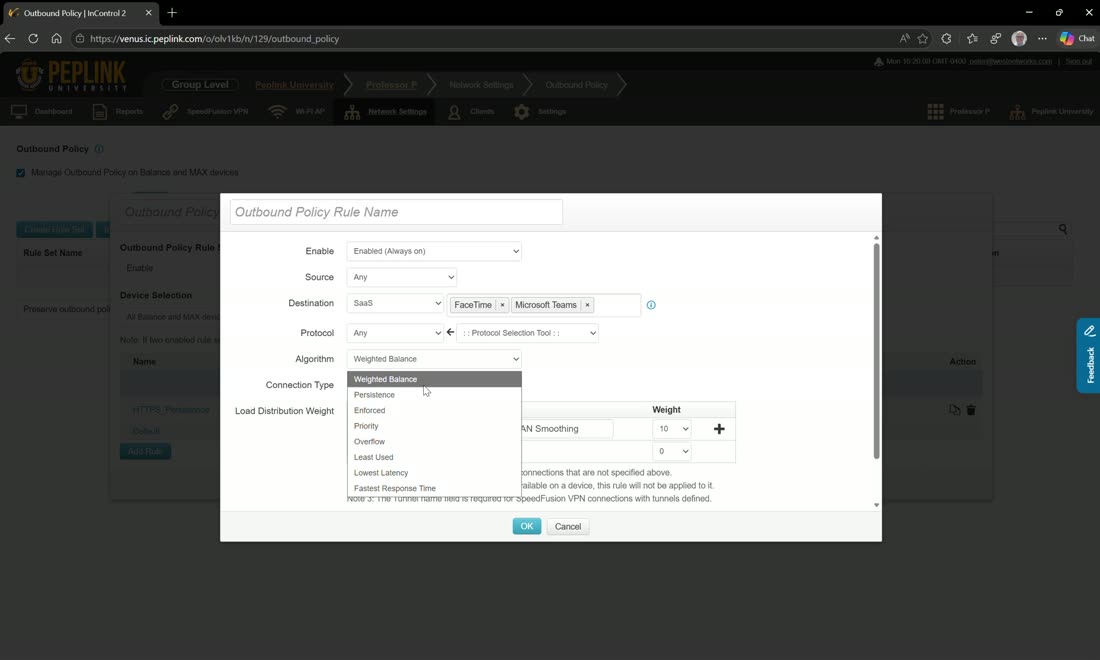
There are eight load-balancing algorithms: weighted balance, persistence, enforced, priority, overflow, least used, lowest latency, and fastest response time.
- Weighted balance — choose how many packets out of the aggregate go over each WAN. Set 10/10/10 and, out of every 100 packets, ten go over WAN 1, ten over WAN 2, and so on. This is a balance, not a priority — you are not saying “use this WAN then that WAN.” You can also weight-balance across SpeedFusion tunnels.
- Enforced — sends all traffic matching the policy over one specific interface.
- Priority — a top-down list of tunnels or WANs. Use SpeedFusion Connect first, then WAN 1 as secondary. With “on drop, fail through to the next rule,” if the SpeedFusion tunnel is unavailable the rule is skipped and the next rule is tried.
- Overflow — uses the WAN bandwidth settings from the interface. With four 100 Mbps WANs it fills the first to 100 Mbps, then spills to the next, and so on — a waterfall effect.
- Least used — based on uplink or downlink; every new session starts on whichever connection is being used least by that measure. Good for a Teams call: use whichever internet is least-used by uplink for the best call quality.
- Lowest latency — every 15 seconds the router checks the latency to the third hop on all WANs; the lowest wins all sessions for the next 15 seconds, then it re-checks.
- Fastest response time — sends a signal to the destination over every chosen WAN; whichever responds first is used for that session. It uses a lot of data, and West Networks uses it heavily with BGP to guarantee the best path to a destination.
Rules and policies are top-down
Within a policy, rules are evaluated top-down. Multiple policies are also applied top-down — whichever is applied first wins. An “all devices” policy placed above a “data center” policy takes precedence over it. The same top-down precedence governs firewall rules.