
Under Advanced you expose internal services to the outside. Depending on the router this section appears in one of two forms (some show “services and servers”), but either way it is standard port forwarding.
Port forwarding
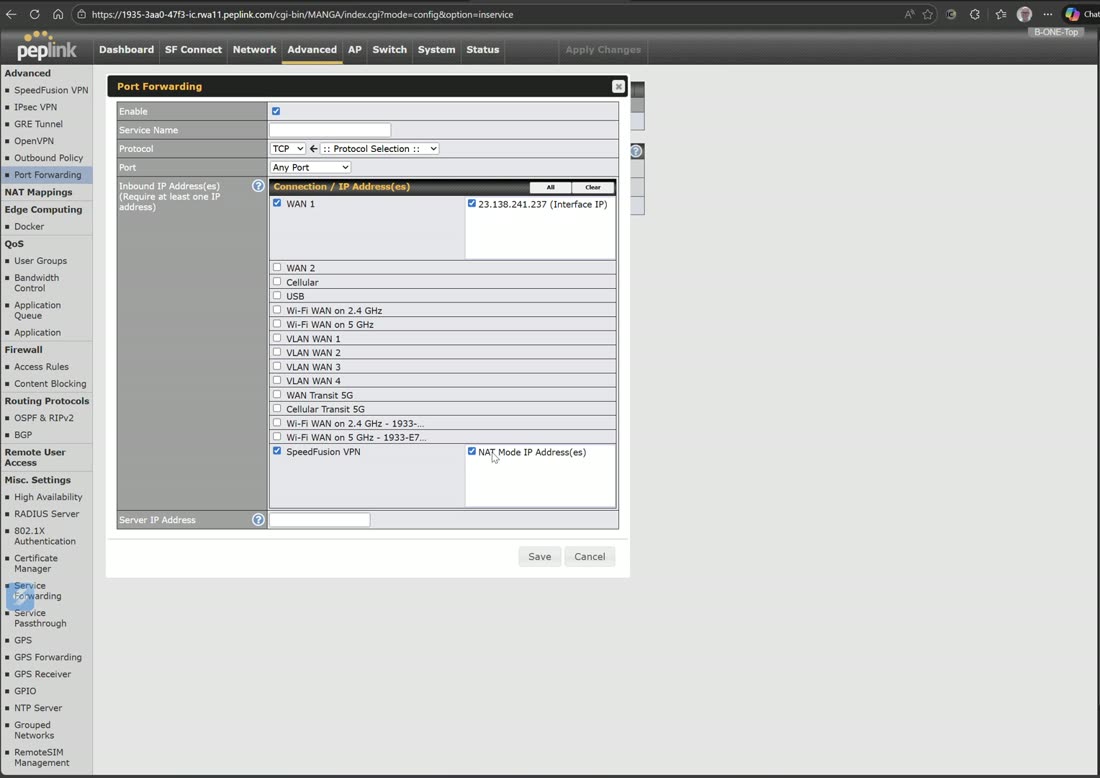
Standard port forwarding: name the service, choose TCP / UDP / ICMP / IP, pick the interface and public IP, and point it at the internal server (e.g. 192.168.5.1 for an SMTP server). A SpeedFusion NAT-mode public IP can also be a forward target — but this only works if you are actually receiving a public IP via NAT mode, so use it with care.
UPnP / NAT-PMP lives here too — turn it on if you are an Xbox or PlayStation gamer so consoles can open their own ports.
NAT mappings
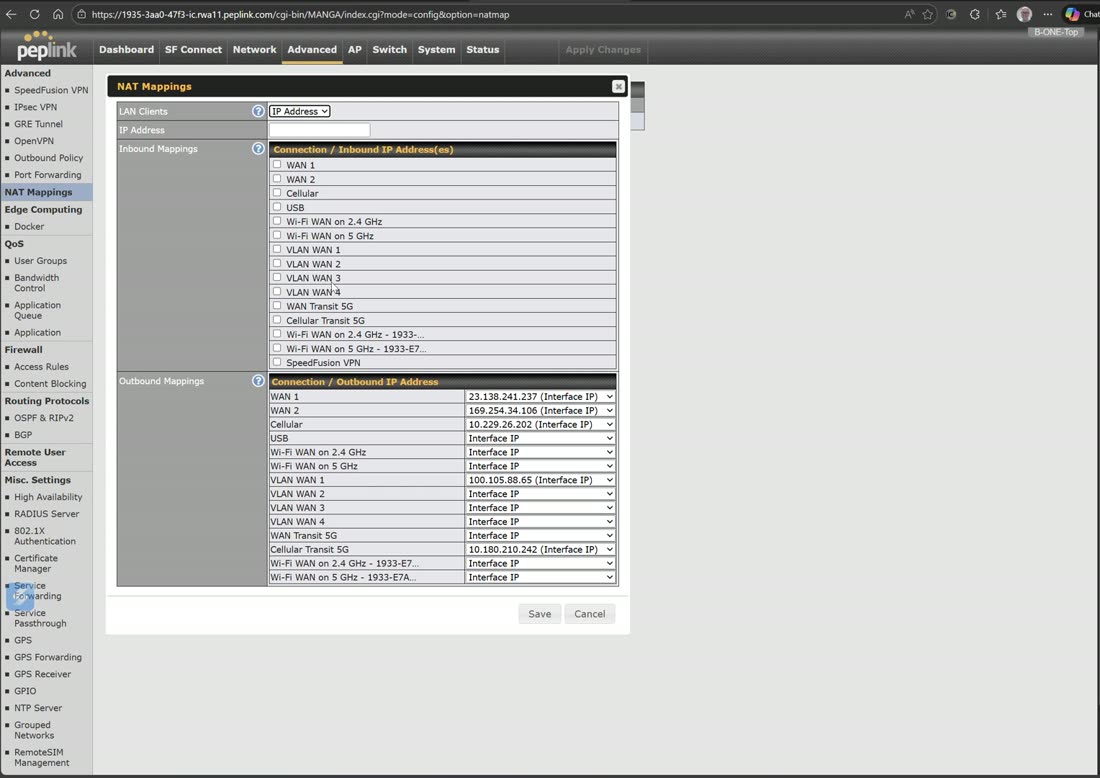
NAT mappings tie an interface and public IP to an IP on your LAN (a LAN-to-LAN mapping). Combined with the additional public IPs you can add on a WAN — when your provider routes you a CIDR block — you can map several distinct public addresses to several internal servers. It is a very powerful utility once you know how to use it: one appliance fronting multiple public services.