
- Virtual Network Mapping now covers inter-VLAN traffic — including virtual IPs that overlap VLAN subnets (IP-conflict surgery for mergers).
- Static routes can resolve through a domain name instead of a fixed IP.
The Network tab is where the LAN side is built: VLANs, static routes, virtual network mapping, DNS proxy, Bonjour, and port assignments. A useful habit to know up front: with the exception of the WAN interfaces, you can configure the entire router without committing anything until you press Apply Changes — but WAN settings use Save & Apply and take effect immediately.
Creating a VLAN
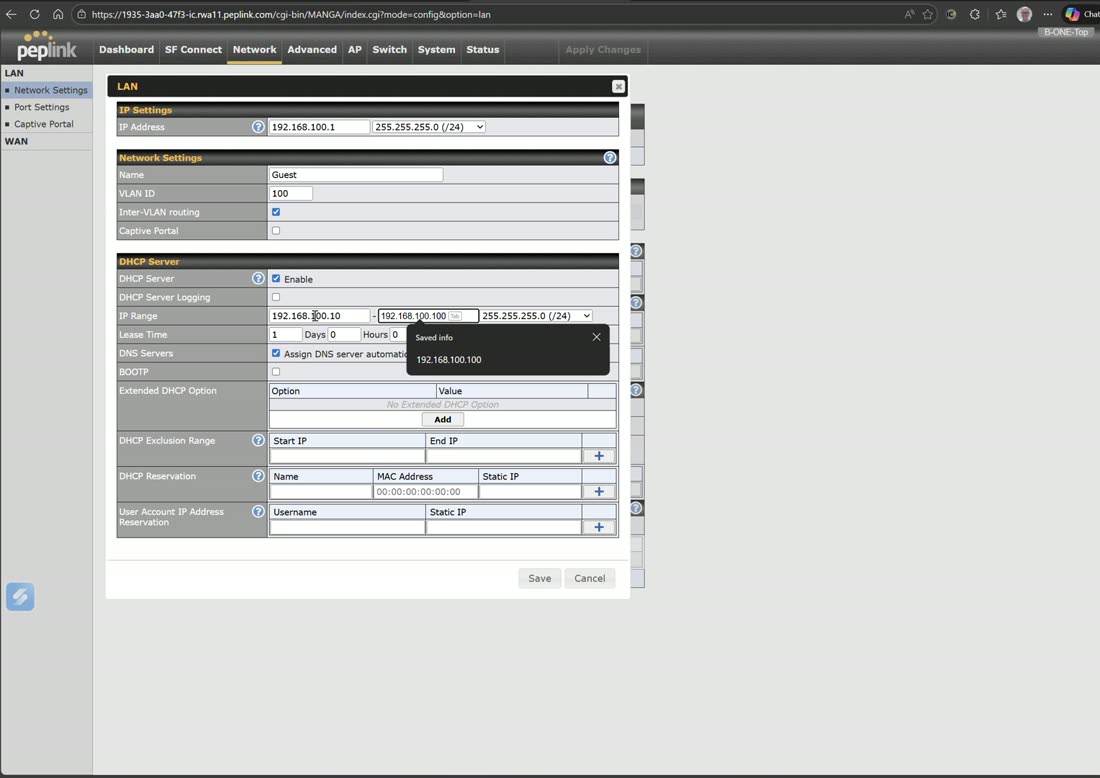
Add a network, give it an IP (e.g. 192.168.100.1), a name (e.g. Guest), a VLAN ID (e.g. 100), and a DHCP pool (e.g. .100 through .200). Save, then Apply Changes to commit. The new VLAN becomes available to assign on your ports and to build services such as a captive portal on top of.
LAN IP address interface
Alongside your VLANs, the Network tab holds the LAN IP address interface — the router’s own LAN-side address and the untagged/default network your clients sit on. Each VLAN you create adds another Layer-3 interface (its IP and DHCP scope) on top of this.
VLAN-as-WAN licensing
One VLAN-as-WAN is included; buy a 3-pack for more
The router ships with one VLAN-as-WAN included, which gives you up to three WANs. If you need more than that, you purchase the three-pack of VLAN-as-WAN licenses. This is what lets you convert a LAN port into a WAN port — for example reserving LAN 4 as an access port for a Starlink dish while fiber comes in on WAN 1 and a synergized Transit Pro on WAN 2. License keys are pasted in under the feature add-ons page.
See WAN Settings for how a VLAN-as-WAN interface is configured once the port is assigned.
Port settings: trunk vs access
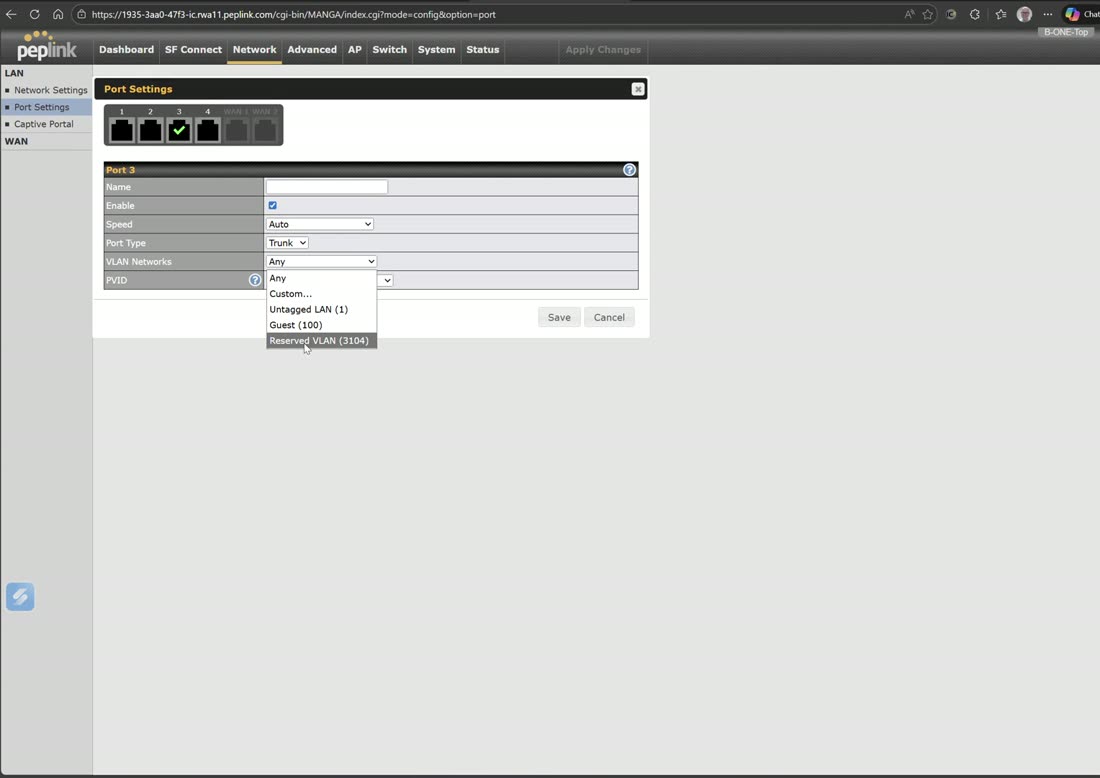
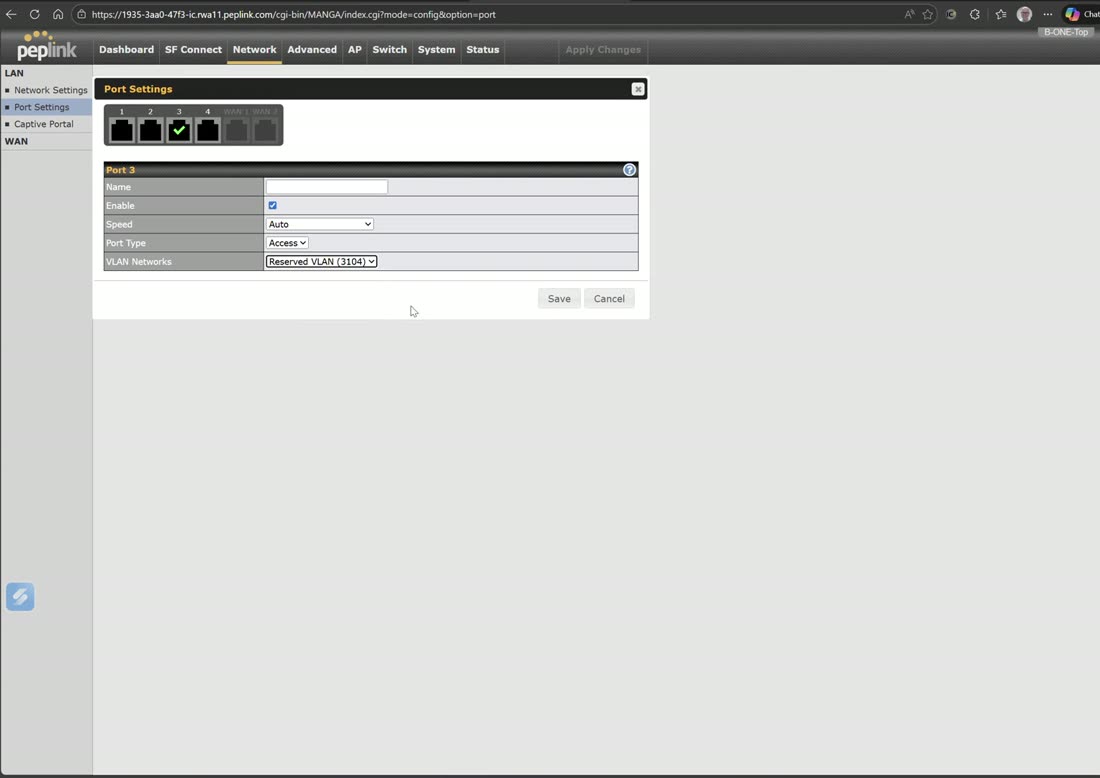
Assign each physical port. A trunk carries several VLANs (for example your guest network plus a reserved VLAN-as-WAN) and lets you set the PVID; an access port carries a single VLAN. Select multiple ports to configure them in bulk. Where the hardware supports it, selecting two interfaces shows LACP (link aggregation control protocol), which bonds the two ports together — not every device supports this.
Guest captive portal
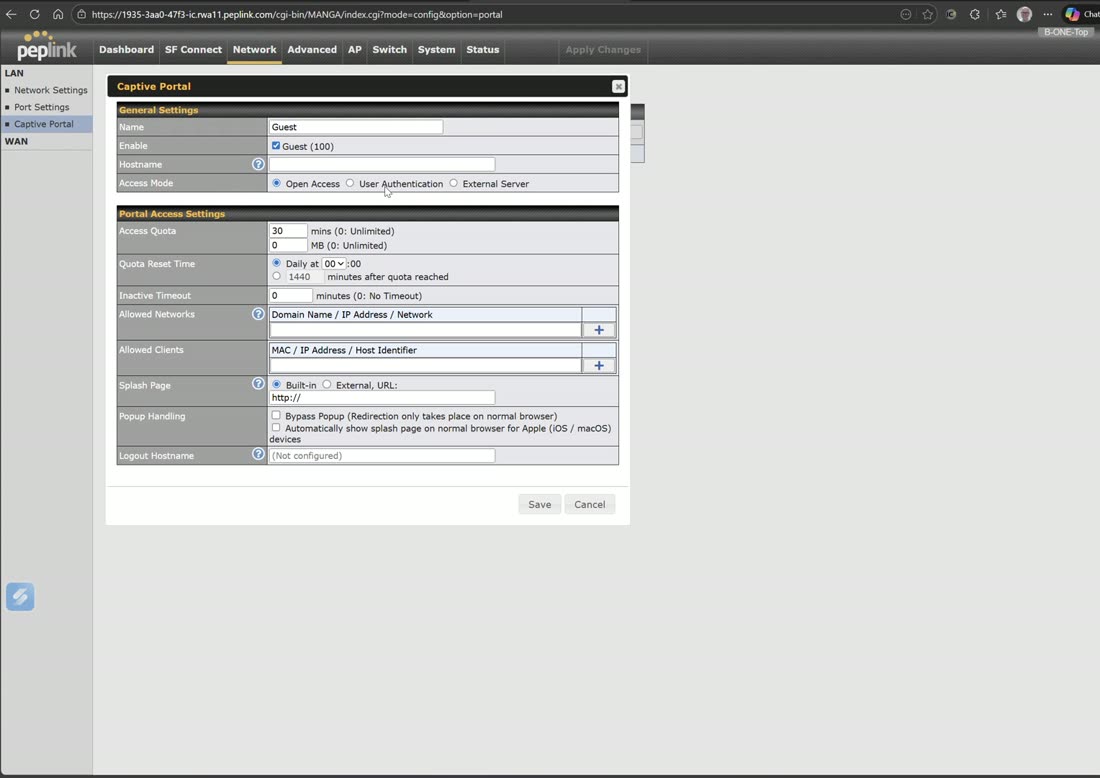
With a guest VLAN created, enable a captive portal on it: open access, user-authenticated (LDAP/RADIUS), or an external server, with quotas and a redirect. If you host the portal page yourself you’ll need to upload an SSL certificate (for example a wildcard for the portal domain). Most fleets drive captive portals from InControl instead.